Tasks now show their customer on the list
A task created from a customer file now carries the customer's name onto My work, the Work desk and Metro's list tiles — a chip that opens her file in one click, and her number when she has no name yet.
Product update 2 min read
What changed
When you hand out a task from a customer's file, the task is tied to that person and lands on the list its owner opens every day. That is exactly where the trouble started: on the list, the row said nothing but its title. "Follow up to arrange a meeting" — for whom? At which number? Whoever received it either stuffed the name into the title or searched for the file again.
Now the customer stays with the task. Every task that came off a customer file shows a small chip beside its title — a person icon and the customer's name — and the name links straight to her file: numbers, reminders and the whole conversation, one click away.
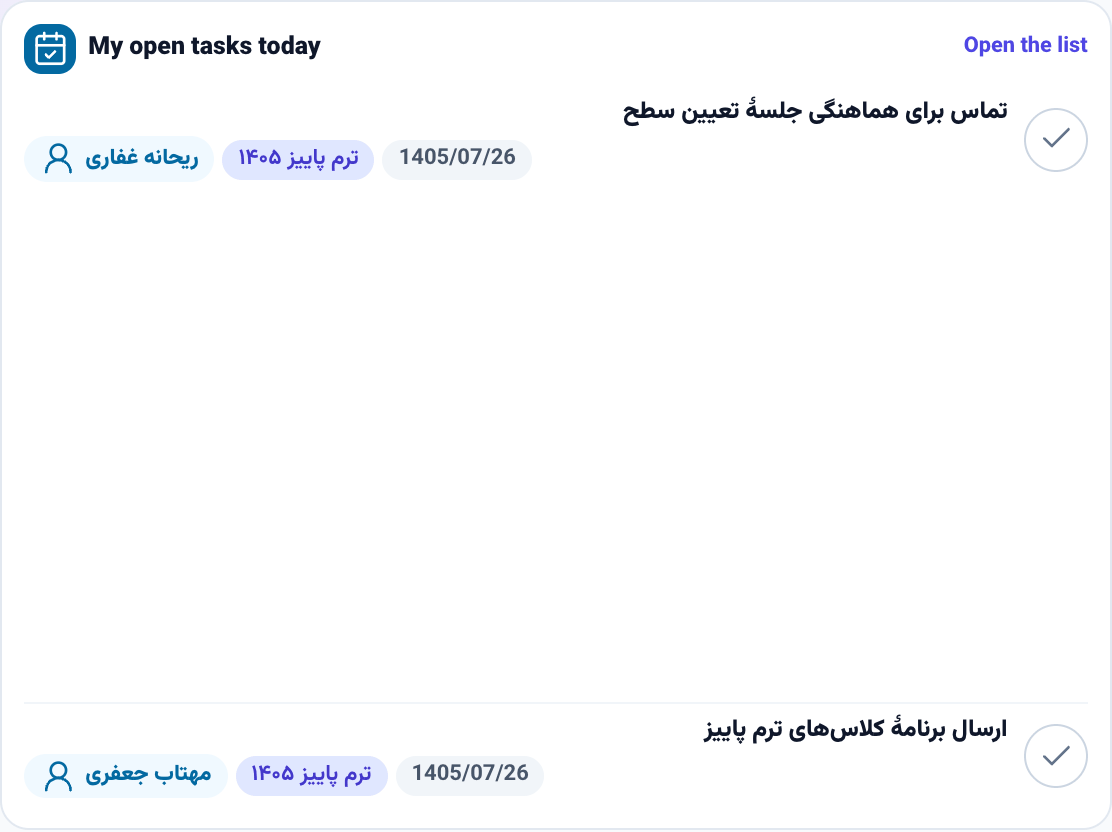
How to use it
- Open the customer's file.
- In the toolbar under the message box, click the Hand out a task about this customer icon.
- In New task, fill What is to be done, choose Who does it, set a Due date (optional) and Priority if needed, and press Create task.
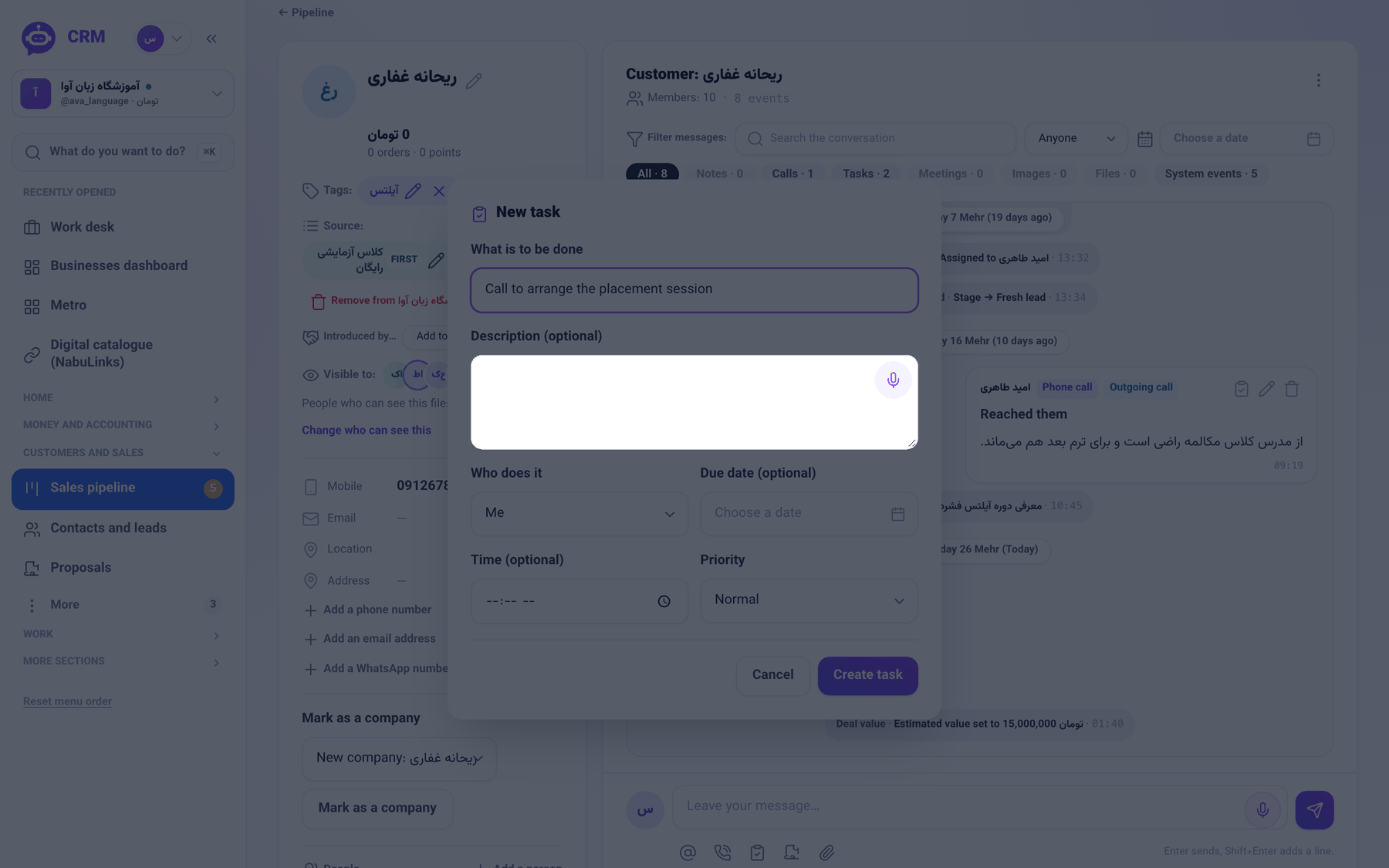
- The task shows the customer chip on the assignee's My work, Work desk and Metro list tiles. Click the name to open the file.
Good to know
- A customer with no name yet is shown by her number.
- Where a customer's audience is restricted, the row stays on your list but the name is covered — Restricted customer, no link. The work is yours; the file is not.
- Nothing to set up: tasks created from a customer file before this change show their customer too.
- The task button on the file appears only for seats that may manage tasks.