After-sales service — a Service tab, customer devices and warranty, a public help center and branching journeys
The customer file has a Service tab with the customer's tickets, repairs, visits and devices with their warranty status in one place. A ticket can become a task, complaints are their own kind, knowledge base articles go on a public help center and are suggested while answering a ticket. Automations start on dates too, and customer journeys branch on yes/no with Telegram, Bale and WhatsApp steps.
Product update 3 min read
What changed
- A Service tab in the customer file. The customer file's Service tab lists every ticket, repair card and site visit this business has for the customer, newest first, and each row opens its ticket, repair card or visit task. Complaints carry a red mark.
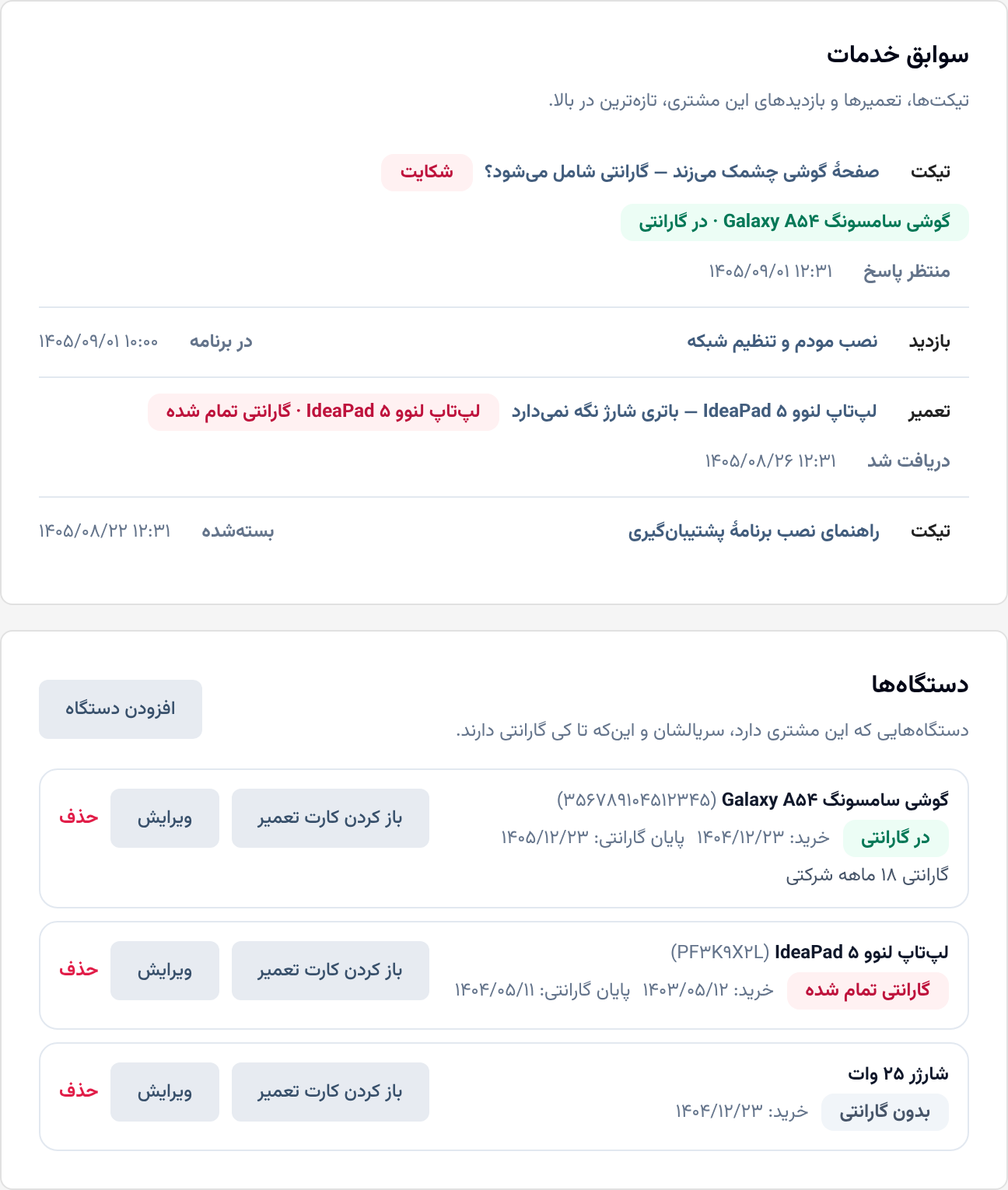
- Customer devices and warranty. Under the same tab, Devices: the device's name (or a catalog product), serial or IMEI, purchase date and warranty end. In warranty, Warranty expired or No warranty shows beside each device, on its repair card and on a ticket linked to it. Open a repair card starts a card already filled with this customer's name, number and serial.
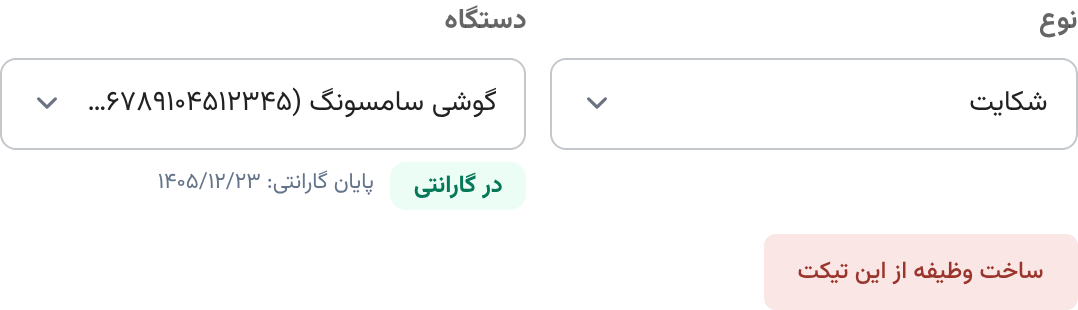
- Ticket → task, and Complaint. On Support tickets, each ticket has a Kind (question, service request, problem report, complaint) and the queue filters by it. Make a task from this ticket puts a task on the "Support tickets" board, linked to the ticket and the customer; pressing it again opens the same task.
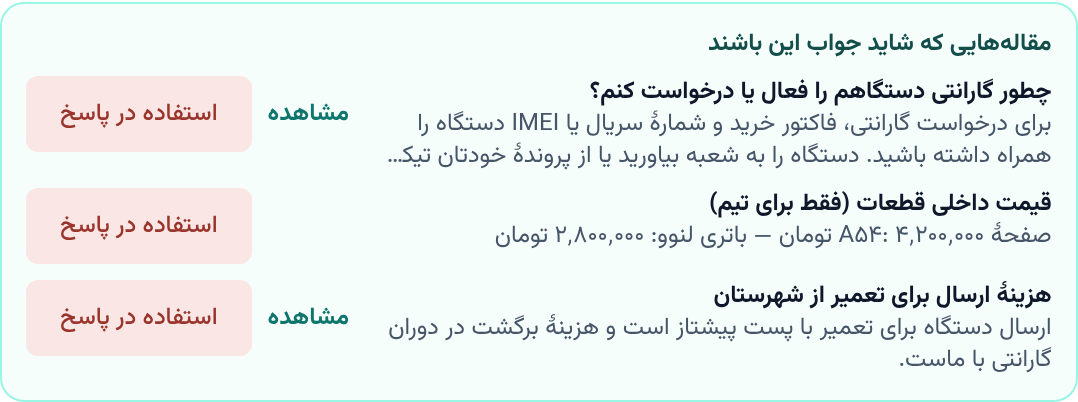
- Article suggestions while answering. Beside the ticket, Articles that may answer this come from your own knowledge base; Use in the reply puts the article's text under your reply.
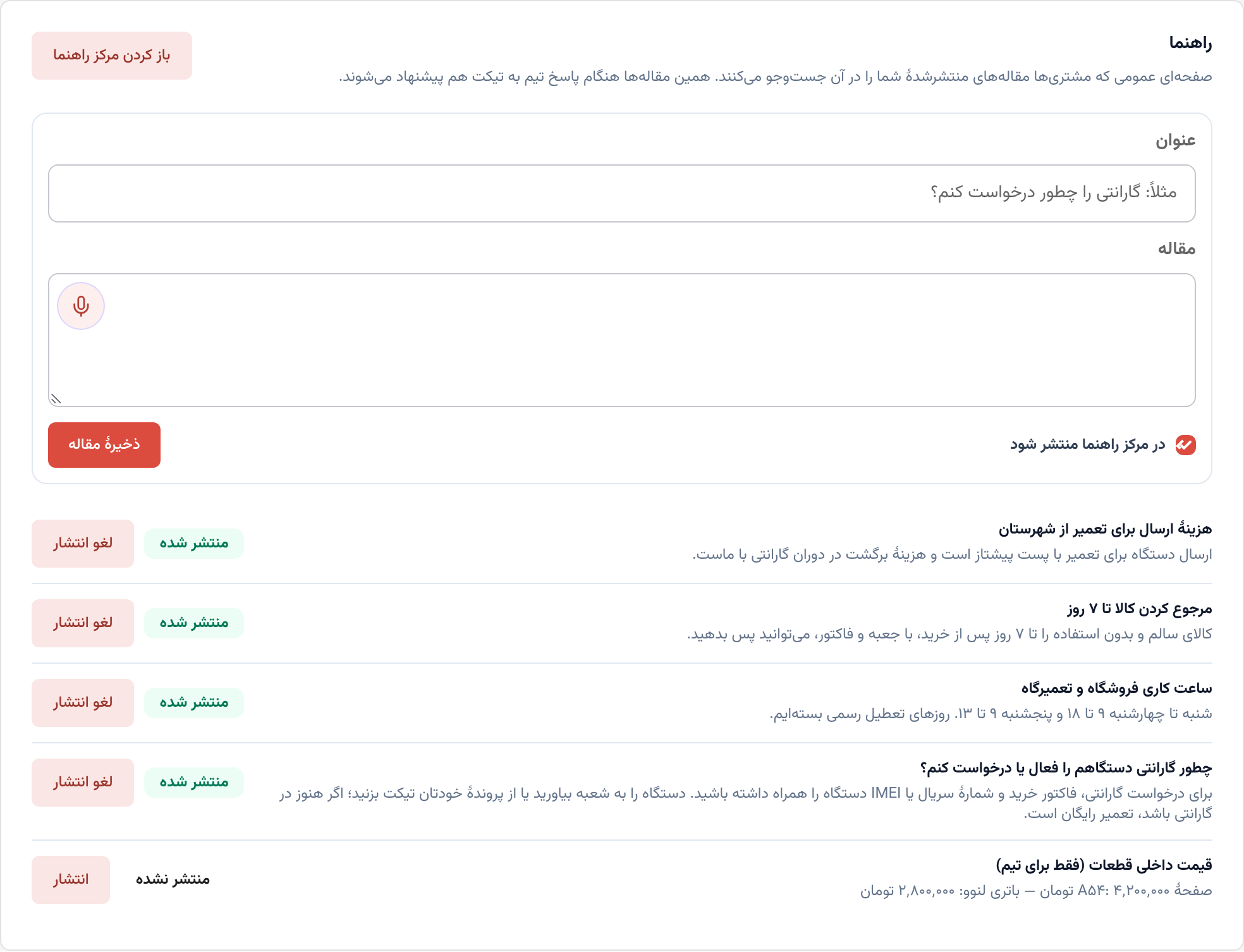
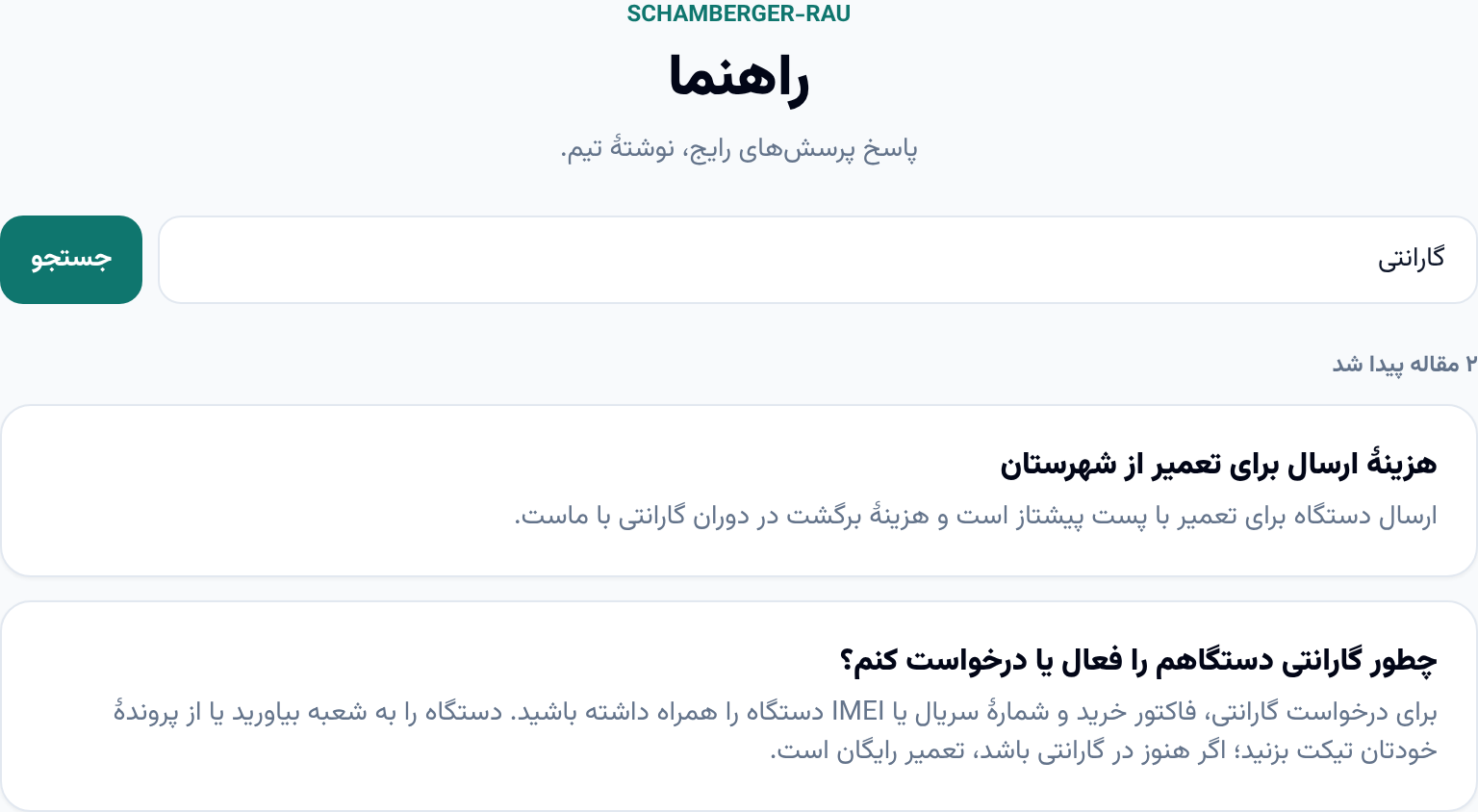
- A public help center. In the knowledge base, the Help center section puts articles on a public page your customers search, with Publish and Unpublish. Nothing is published unless you choose it.
- Date triggers. In automations, When can now be A contract ends in a number of days, A number of days have passed since a contract ended, A number of days have passed since a customer's last purchase, or a number of days before or after any Date field on the customer's file. Once per contract, once per purchase for a customer, and once per value of the field.

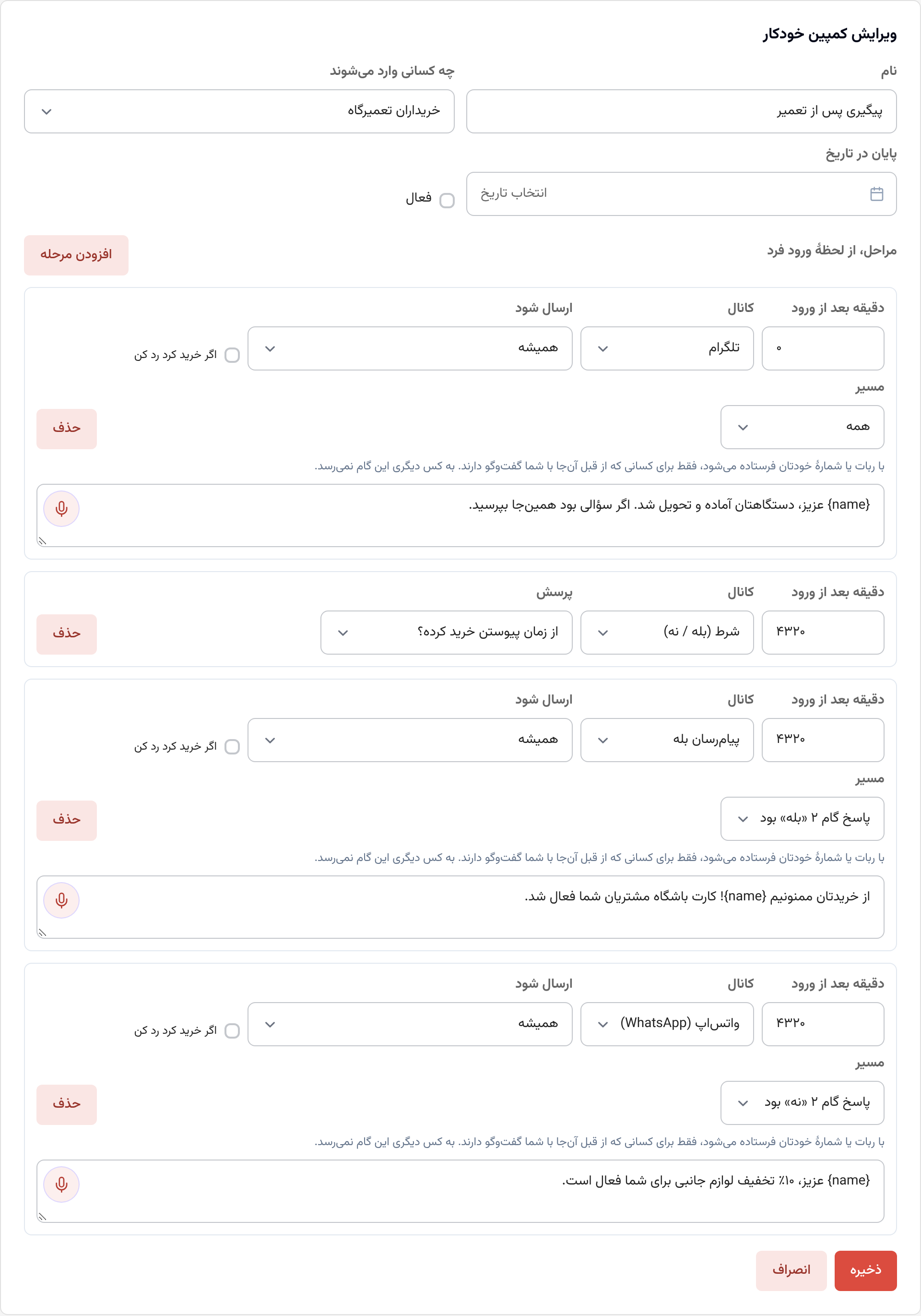
- Branching journeys and messengers (#88). In customer journeys, the Condition (yes / no) channel is a question step: did they open the previous email, click it, buy since joining, or carry a tag? Later steps follow a Path — "Step … answered yes" or "… answered no". Telegram, Bale messenger and WhatsApp steps are new too.
How to use it
- Open a customer file → Service tab → Add a device; fill in the warranty end and press Save the device.
- Support tickets → open a ticket → set Kind to Complaint, choose the customer's Device, and press Make a task from this ticket if the team has work to do.
- AI knowledge base (NabuKnowledge) → Help center → write an article and press Save the article (or Publish an existing one); Open the help center opens the public page.
- Automations → set When to one of the date triggers and the number of days (and, for a date field, the Date field).
- Customer journeys → Add step → channel Condition (yes / no) and Ask; pick a Path for the steps after it.
Good to know
- Devices and service history are per business; another business that knows the same customer sees none of it.
- Adding or editing a device needs the seat that edits customers; publishing an article is for whoever manages the business.
- A Telegram, Bale or WhatsApp step reaches only people who already talk to your bot or number; it never falls back to SMS.