Clearer AI creation with manual controls when needed

The manual automation editor now folds away so generated results appear sooner. Task suggestions have clearer loading, field errors and accessible controls.

Product update 1 min read

What changed

In Automations, AI creation comes first. The manual condition and action editor is a keyboard-accessible disclosure that opens when editing or reviewing a draft.
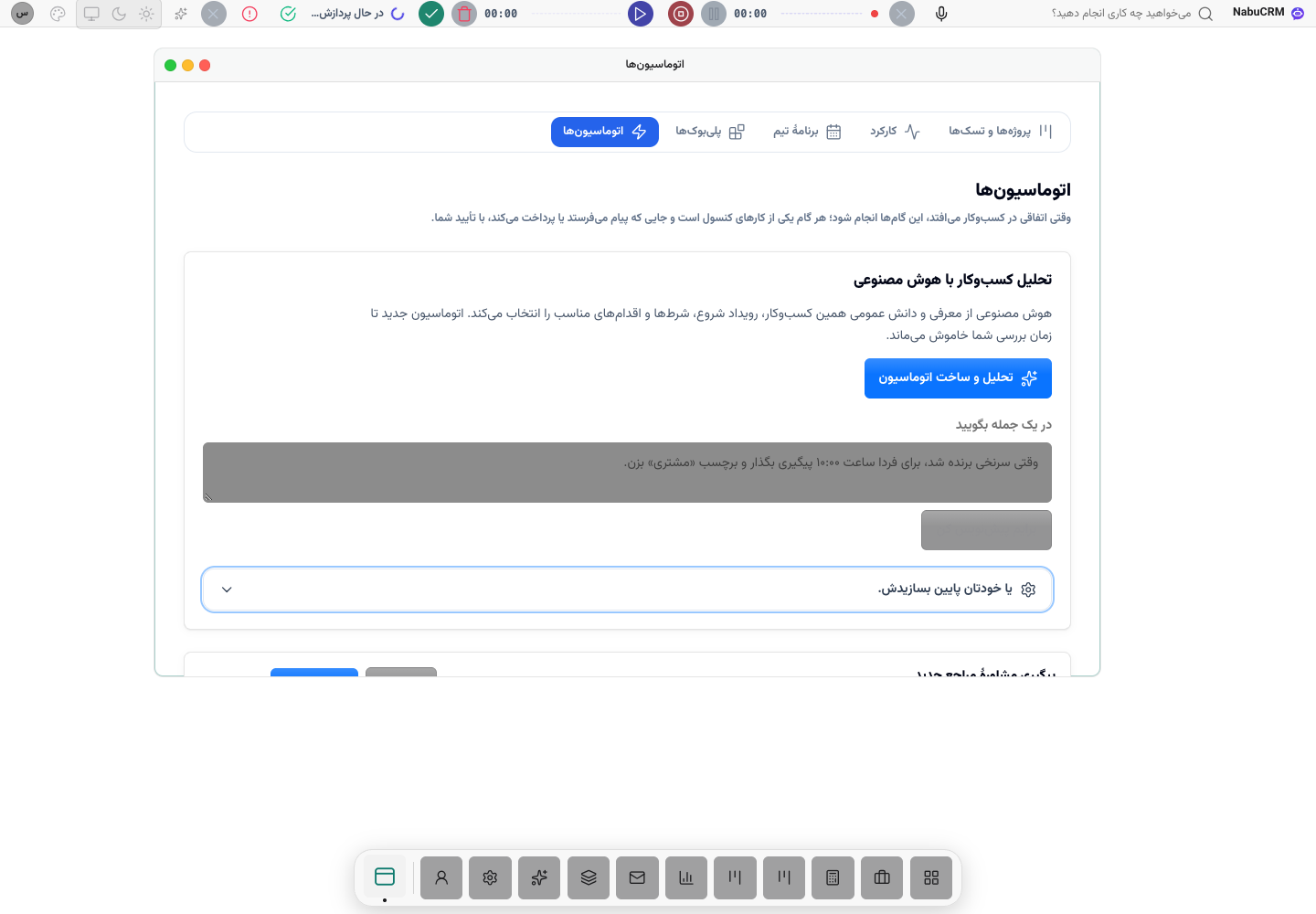
AI creation and its result on desktop

How to use it

Choose Analyze and create an automation, or describe a rule in one sentence. Open Or build it yourself below. for manual controls.
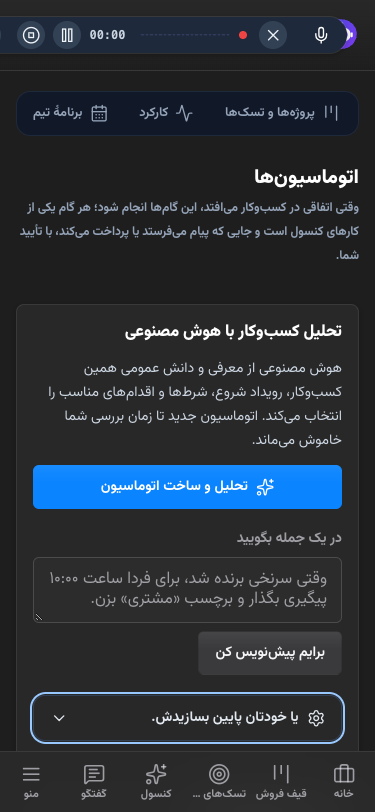
Touch-friendly creation on mobile

Good to know

The task generation dialog now announces analysis, labels its close control, and links overlong-prompt errors to the field. Permissions and paused automation review remain in effect.

More from the blog

Product update

A shorter, tidier phone menu

The phone menu is no longer four screens of tiles. The section you are in stands open and every other section is one row with its icon and count. Search leads the menu and the foot is one row.

Product update

The sidebar menu is on the first screen

The welcome card and \"Worth a look\" are one row each now, section headings wear icons, and a section you open stays open. \"My messages\" left the middle of the page: its bell sits beside the voice button in the sidebar.

Product update

The "My messages" bell is back where it belongs

In the macOS skin the bell now sits in the top bar beside the mic and the other buttons, and its list opens right under it instead of taking a row of its own above the page.

Missing something?

Tell us what to build next. Most of what is announced here started as somebody’s suggestion.

Suggest a feature