Answer the calls your voice assistant hands to a person, in the app
When a caller asks NabuVoice's assistant for a person, the call now rings in the NabuOS app and you answer it right there. The audio is an encrypted WebRTC call (Opus), and a call whose audio cannot connect stays in the queue for another operator.
Product update 2 min read
What changed
The calls your voice assistant passes to a person ("put me through to someone") used to be answered only in the operator console on the panel. Now any phone with the NabuOS app can take them.
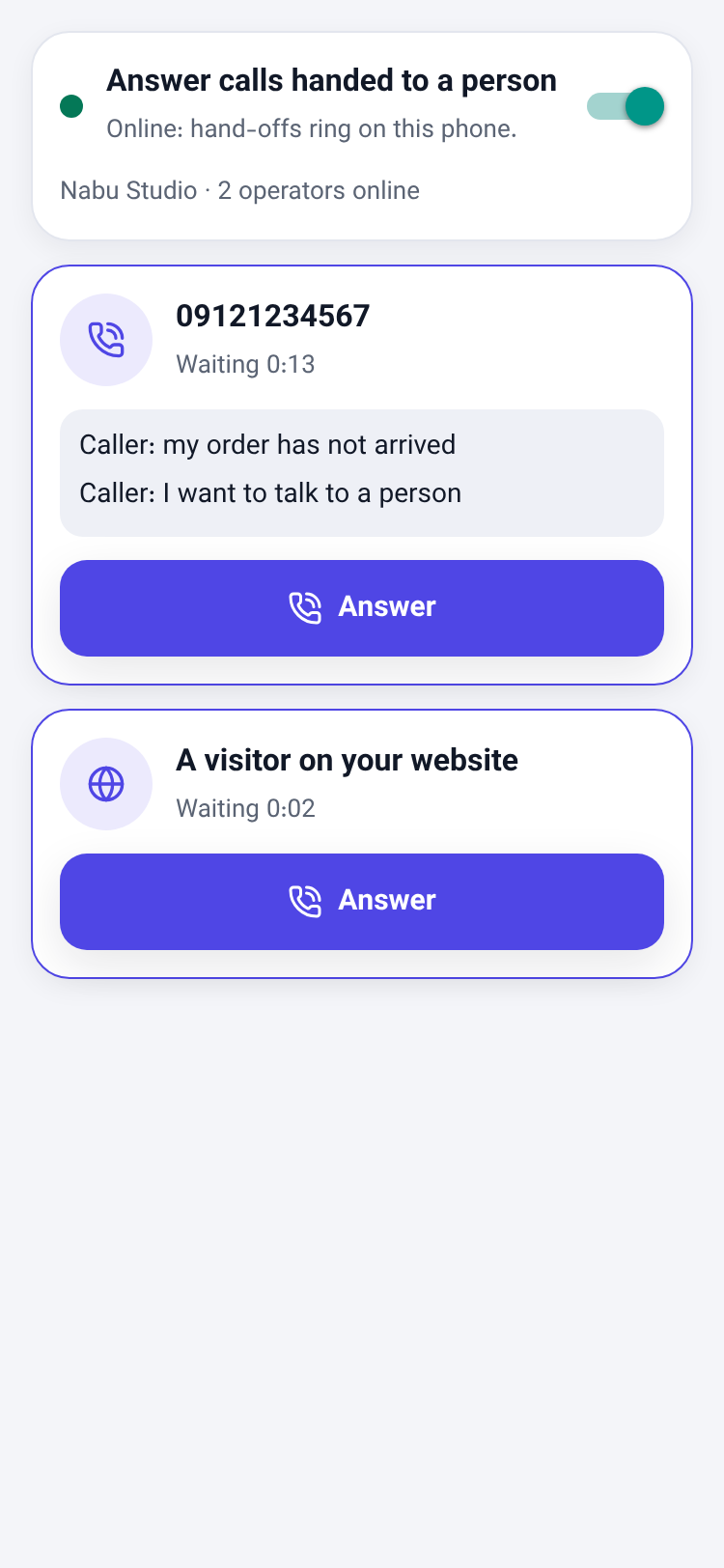
- A Call operator screen. Switch it on and this phone joins the business's operators. Each waiting call shows the caller's number (or "A visitor on your website") and the last things they told the assistant.
- It rings. A new hand-off vibrates the phone. Tap Answer and you are talking.
- Encrypted and quick. The voice runs on WebRTC: Opus over UDP, encrypted end to end between the phone and the voice server (DTLS-SRTP), with the phone's own echo cancellation. It uses about a tenth of the data raw audio would.
- No caller is lost. The call becomes yours only once the audio has connected. If this network blocks the audio, the call stays in the queue for another operator or the panel console.
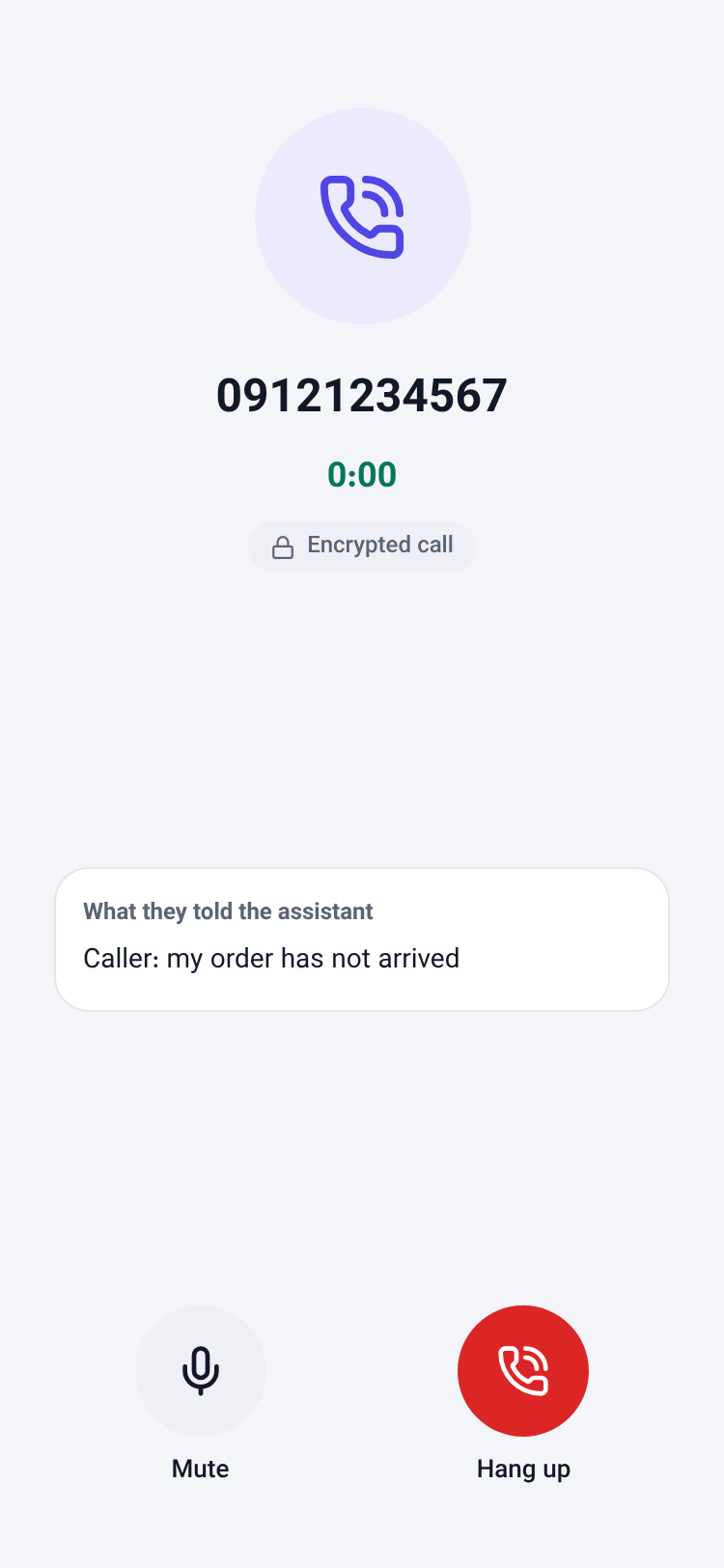
- On the call: a timer, mute and hang up, with what the caller told the assistant on screen.
How to use it
- Update NabuOS to version 1.6.0.
- On the Home screen, tap Call operator. It shows for businesses with the voice module.
- Switch on Answer calls handed to a person and keep the screen open.
- When a call rings, tap Answer. Tap Hang up when you are done.
Good to know
- The business must have NabuVoice connected (panel, Calls). Otherwise the screen says so.
- Leaving the screen or putting the app in the background takes this phone offline. The assistant then takes a message, as before.
- The seat that may see customers is the one that may answer, as on the panel console.
- Behind some mobile networks, audio needs a relay (TURN) server on the voice service to connect.