Automation history is written in the business's language

The summary of every automation run and the result of each of its steps are now written in the language you chose for the business, not in English.

Product update 1 min read

What changed
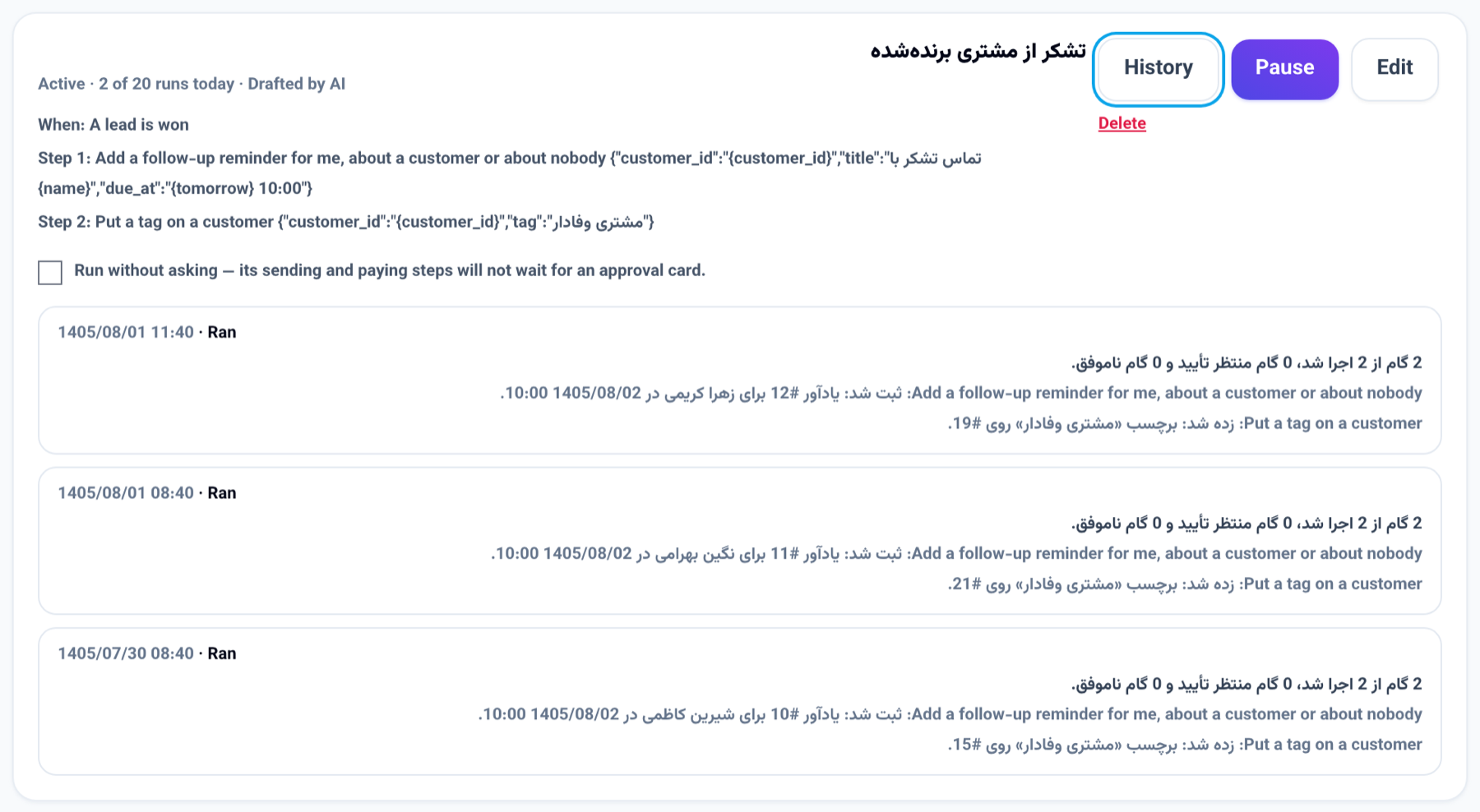
An automation's history: each run's summary and step results written in the business's language

Automations run in the background, when nobody has the panel open, so until now a run's summary ("1 of 1 steps ran…") and its steps' results were sometimes written in English. Every run is now written in the "Business language" — the language the business talks to its customers in.

How to use it

  1. Open "Automations".
  2. Press "History" beside an automation; the summary and the step results are in the business's language.
  3. To change the language, change "Business language" in the business settings.

Good to know

  • Runs written before this change stay as they were written.
  • "Preview and test" is still shown in your own language, since you read it as it happens.

More from the blog

Product update

A shorter, tidier phone menu

The phone menu is no longer four screens of tiles. The section you are in stands open and every other section is one row with its icon and count. Search leads the menu and the foot is one row.

Product update

The sidebar menu is on the first screen

The welcome card and \"Worth a look\" are one row each now, section headings wear icons, and a section you open stays open. \"My messages\" left the middle of the page: its bell sits beside the voice button in the sidebar.

Product update

The "My messages" bell is back where it belongs

In the macOS skin the bell now sits in the top bar beside the mic and the other buttons, and its list opens right under it instead of taking a row of its own above the page.

Missing something?

Tell us what to build next. Most of what is announced here started as somebody’s suggestion.

Suggest a feature