Bank and cash — petty cash, cash counts, matching, cheques, suppliers
Petty cash with a float and one-press top-up, a cash count that posts the difference, bank lines matched to what is already in the books, a bank fee on transfers and bounced cheques, a 30-day cheque calendar with a reminder, cheques on the customer statement, a statement per supplier, and a balance tile per account.
Product update 2 min read
What changed
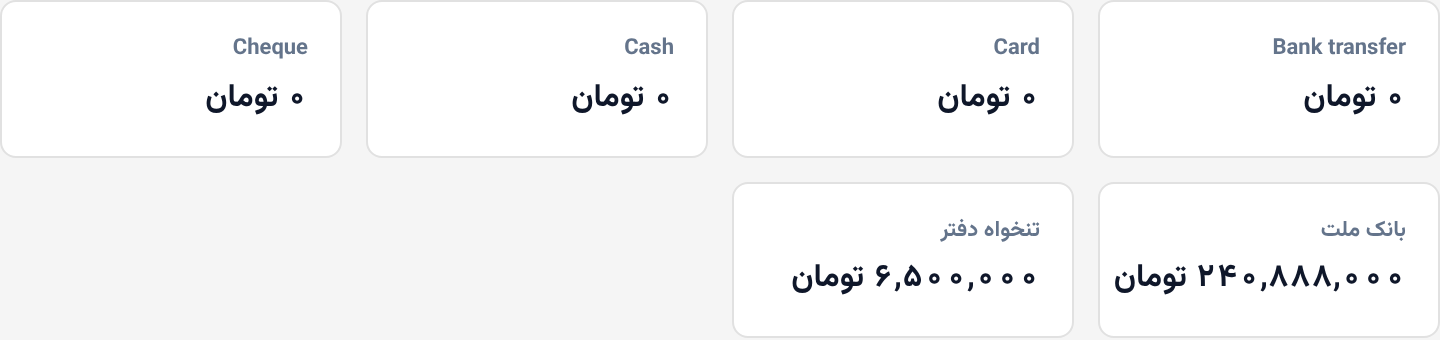
- Each account at a glance. Books → Profit and balance opens with a tile for every money account and what it holds.
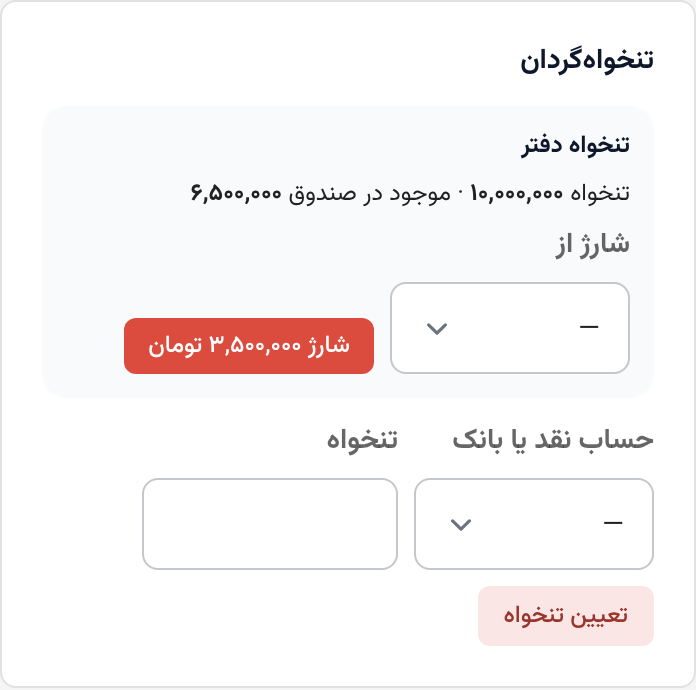
- Petty cash. On Money accounts, give an account a Float. The panel shows what is in the box, and Top up brings it back to the float from the bank in one press.
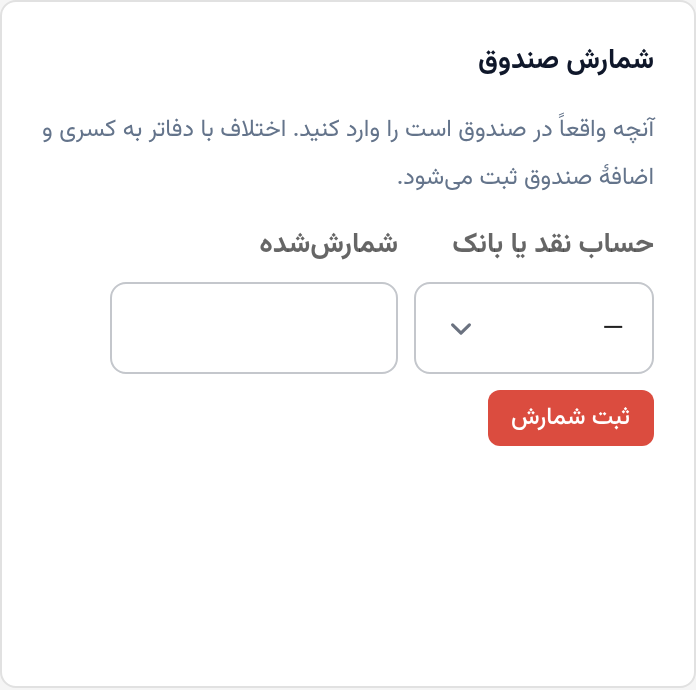
- Count the cash. Type what is really in a box; if it differs from the books, a voucher posts the difference to Cash over and short. Nothing is written when they agree.
- A bank fee on a transfer. Moving money between accounts takes an optional Bank fee, booked to bank charges out of the account the money left.
- Bank lines matched to the books. On a bank statement, a line that is already in the books — a customer's payment on its invoice, a bill you paid — offers Match. A matched line is not drafted as a voucher again.
- Cheques.
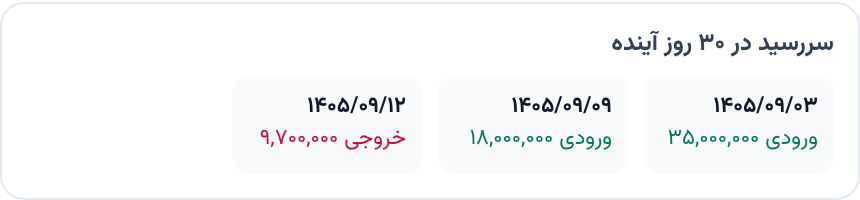
- Due in the next 30 days shows, day by day, what to deposit and what the bank must hold for.
- The owner gets a push two days before a cheque falls due.
- A bounced cheque can carry the bank fee; its invoice counts as open again.
- The customer statement lists the customer's cheques and where each stands.
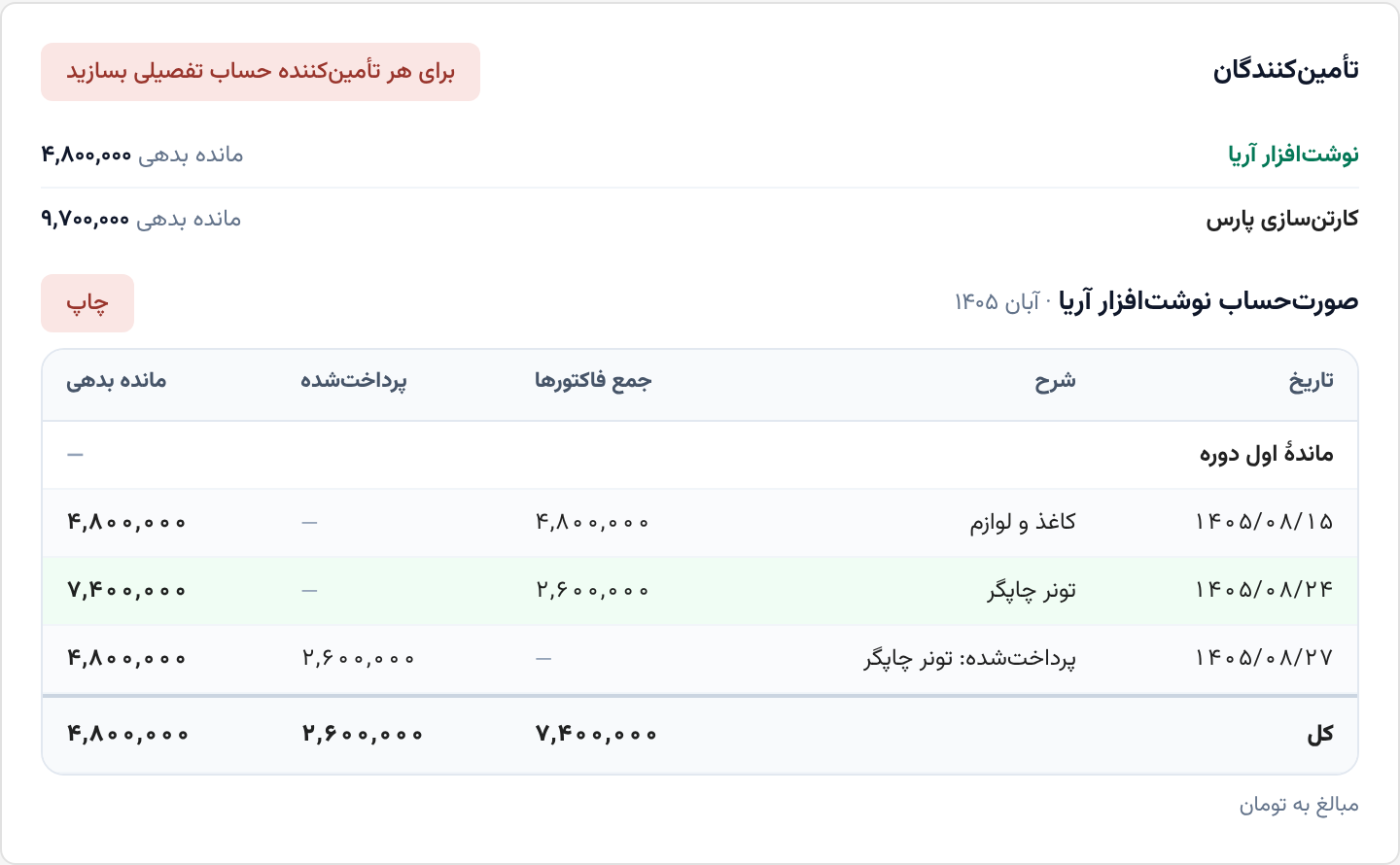
- Suppliers. You owe lists every supplier with what is still owed; open one for its statement (billed, paid, still owed), ready to print. Give each supplier a detail account files what is owed under each supplier, so the detail balances answer "what do we owe whom".
How to use it
- Books → Money accounts: set a float on the petty-cash account, top it up, or count a box.
- Accounting → Bank statements: press Match on a line that is already in the books.
- Accounting → Cheques: put the bank's fee in Bank fee if it bounces before pressing Bounced.
- Books → You owe: open a supplier's statement.