Business alerts — when something is off your own usual
Every morning your business is compared with its own last eight weeks. When new leads, income, reply times, a colleague's calls and tasks, or overdue follow-ups are clearly off, the Work desk shows an alert, and What should I do? shows the next step.
Product update 2 min read
What changed
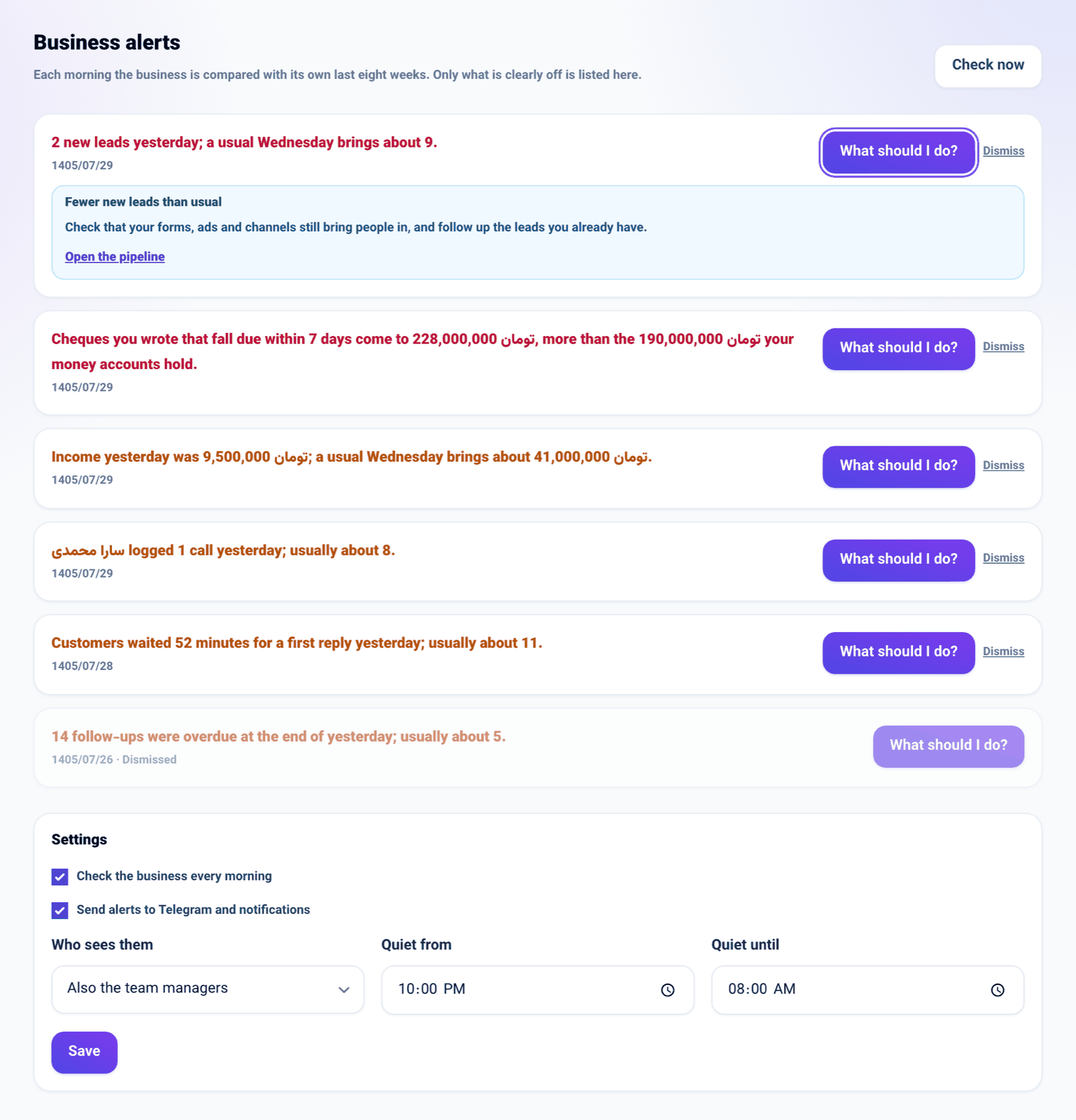
Each morning yesterday's figures are compared with the same weekday over the last eight weeks (reply times and follow-ups with every day of those eight weeks):
- new leads
- income
- how long customers waited for a first reply
- calls logged and tasks finished by each colleague
- overdue follow-ups
Only a gap that is large both in proportion and in number becomes an alert; the business's own usual ups and downs do not. Two lines are checked without a comparison: items at or below their minimum stock, and cheques you wrote that fall due within 7 days but exceed what your cash and bank accounts hold.
Each alert has a What should I do? button with the suggested move and the screen to make it on; the same suggestions appear in the ⌘K launcher.
How to use it
-
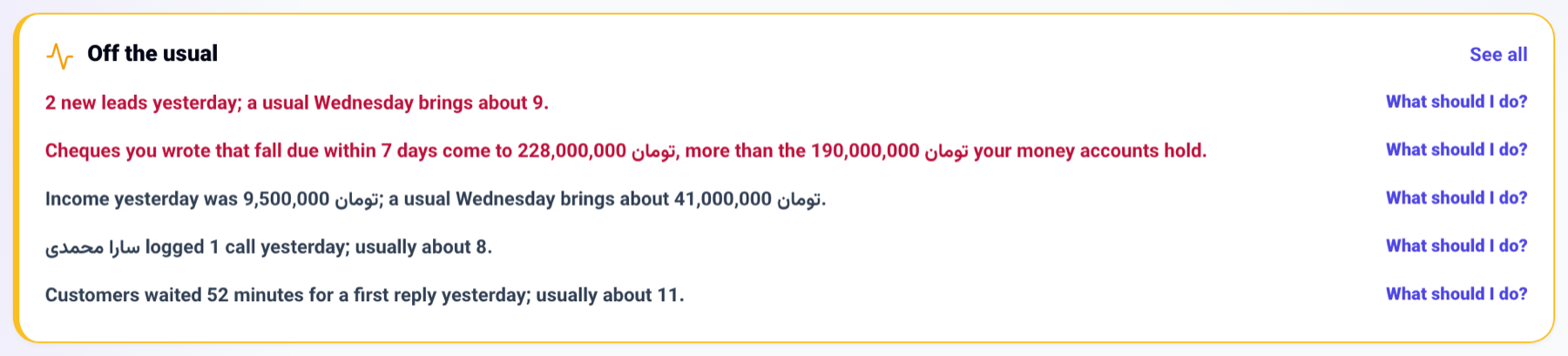
Open the Work desk. Any alerts are at the top, in "Off the usual".
-
Press What should I do? to see the suggestion and a link to the screen.
-
All alerts and their settings are on the Business alerts tab of the Work desk. There you can Dismiss an alert or press Check now.
-
To receive them in Telegram and notifications, tick "Send alerts to Telegram and notifications" under Settings on that tab, and set quiet hours if you like.
Good to know
- By default alerts are on, shown on the Work desk only to the people who run the business, and sent nowhere until you switch sending on.
- With "Also the team managers", the sales, support, marketing and operations managers see them too.
- Nothing is sent during quiet hours; the alert goes out after them.
- The first check of a business builds its last eight weeks from its records; a business that has just started gets no comparison alerts until it has that history.
- You can also ask the chat console "What are this week's alerts?" or change the settings there.