Voice calls from any messenger — Bale, Eitaa, Rubika, Soroush, Telegram bots and WhatsApp
A customer writes "can I call you?" to your Bale, Eitaa, Rubika, Soroush Plus or Telegram bot, or your WhatsApp number, and gets a «Voice call with us» button. One tap opens a voice call on their own phone to your NabuVoice line, answered by the switchboard, the assistant or an operator.
Product update 2 min read
What changed
- A call button in the bot. These messengers give bots no way to call, so the bot hands the customer a button that opens a call page: a mini-app button on Bale, a link button on a Telegram bot, and the link in the message on Eitaa, Rubika, Soroush Plus and WhatsApp. The bot offers it when the customer writes something like "call", "talk to someone", "operator", «تماس» or «زنگ», opens the bot again (/start), or when the AI assistant sees they want to talk to a person.
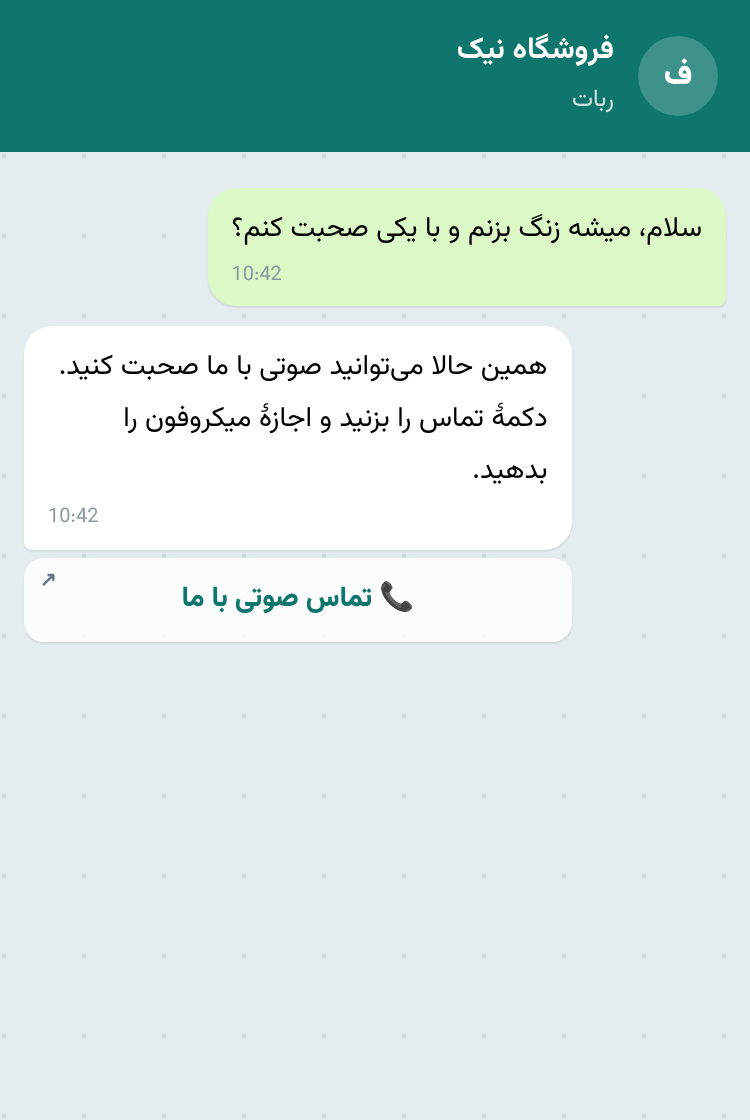
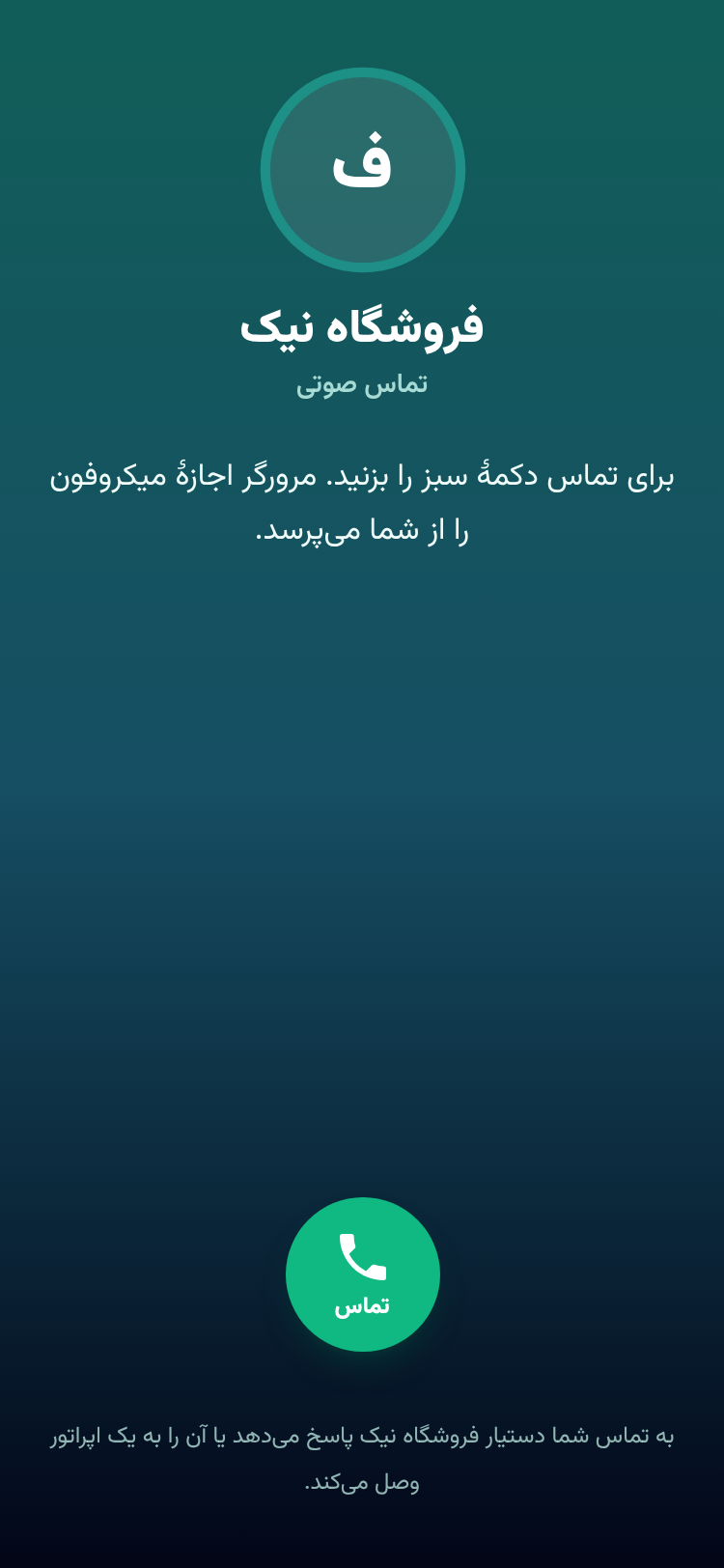
- A call page on the phone. The button opens a simple page with your business's name; the customer taps the green Call button, allows the microphone, and goes the same way a phone call does: switchboard, assistant and the operator queue. The page is in your business's language.
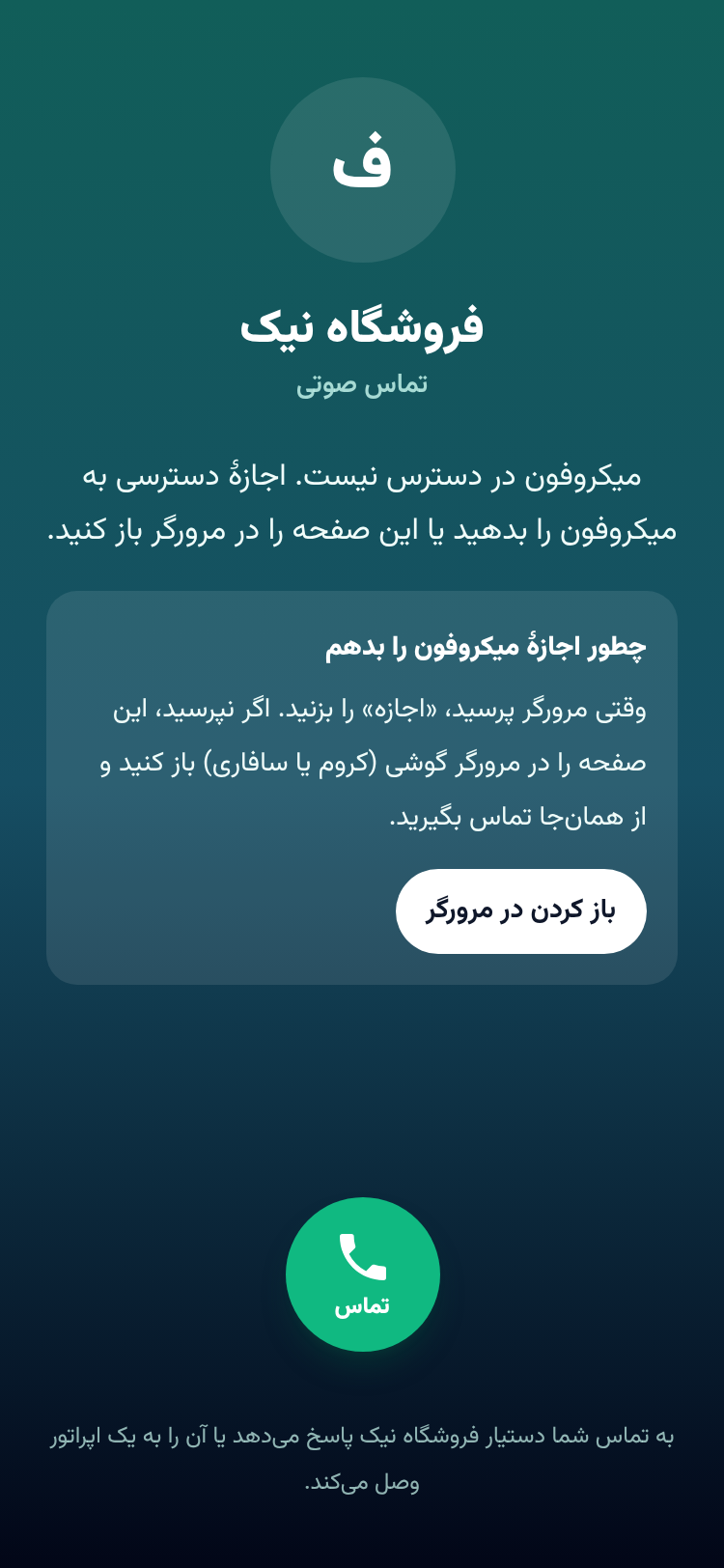
- When the microphone does not open. If the messenger's built-in browser gives no microphone, the page says what to do and shows Open in browser.
- You know who called. The call reaches the line with the messenger and the chat it came from, is written in the call log, and lands on that customer's file in the CRM as "Voice call from Bale" (or whichever messenger).
- Safe. The link is signed, works for 30 minutes and for that business only; the first phone that calls with it owns it, and a link forwarded to somebody else dials nothing. The NabuVoice connection key never reaches the browser.
How to use it
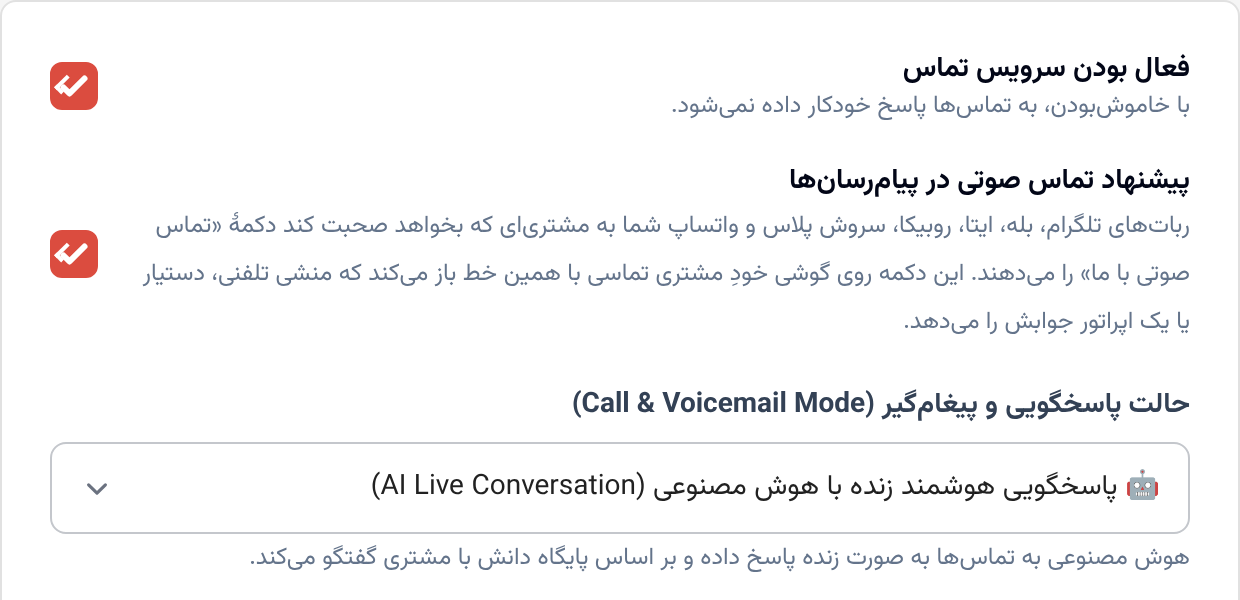
- Open Voice calls (NabuVoice) → Call Settings for your business and make sure NabuVoice is connected and Call service enabled is on.
- Offer voice calls in messengers is on already; turn it off and press Save Settings if you do not want your bots to hand out the call button.
- Keep the Call operator console open to answer calls yourself.
Good to know
- With NabuVoice not connected, the call service off or the setting off, no bot offers the button.
- Groups never get the button, and your own account (a Telegram Business connection or your personal WhatsApp number) does not send it either — customers can ring you directly there.
- Microphone permission inside Bale's and Eitaa's built-in browsers depends on the app version; if it does not open, Open in browser always works.