The console also tells you about waiting customers and overdue invoices
When a customer has waited more than half an hour for a reply, or an invoice goes past its due date, the console opens a chat and tells you. Say there what to answer, or whom to send a payment reminder.
Product update 2 min read
What changed
Two more things now reach you from the console:
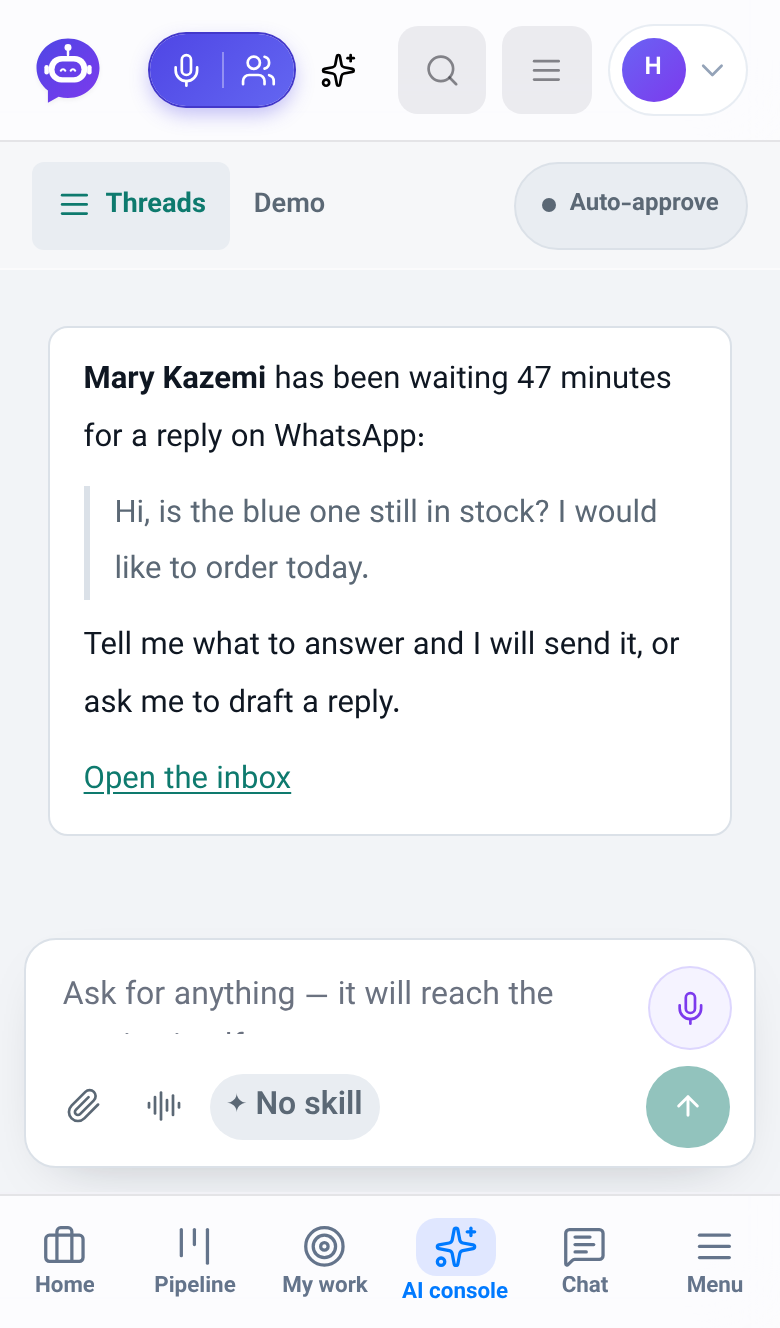
- A customer waiting for a reply: when the last message of an inbox thread is the customer's and it has gone unanswered for more than 30 minutes, the console tells whoever the thread is assigned to, or the business owner when nobody holds it. The chat names the customer, the channel, how long they have waited and what they wrote. Several waiting at once come in one chat.
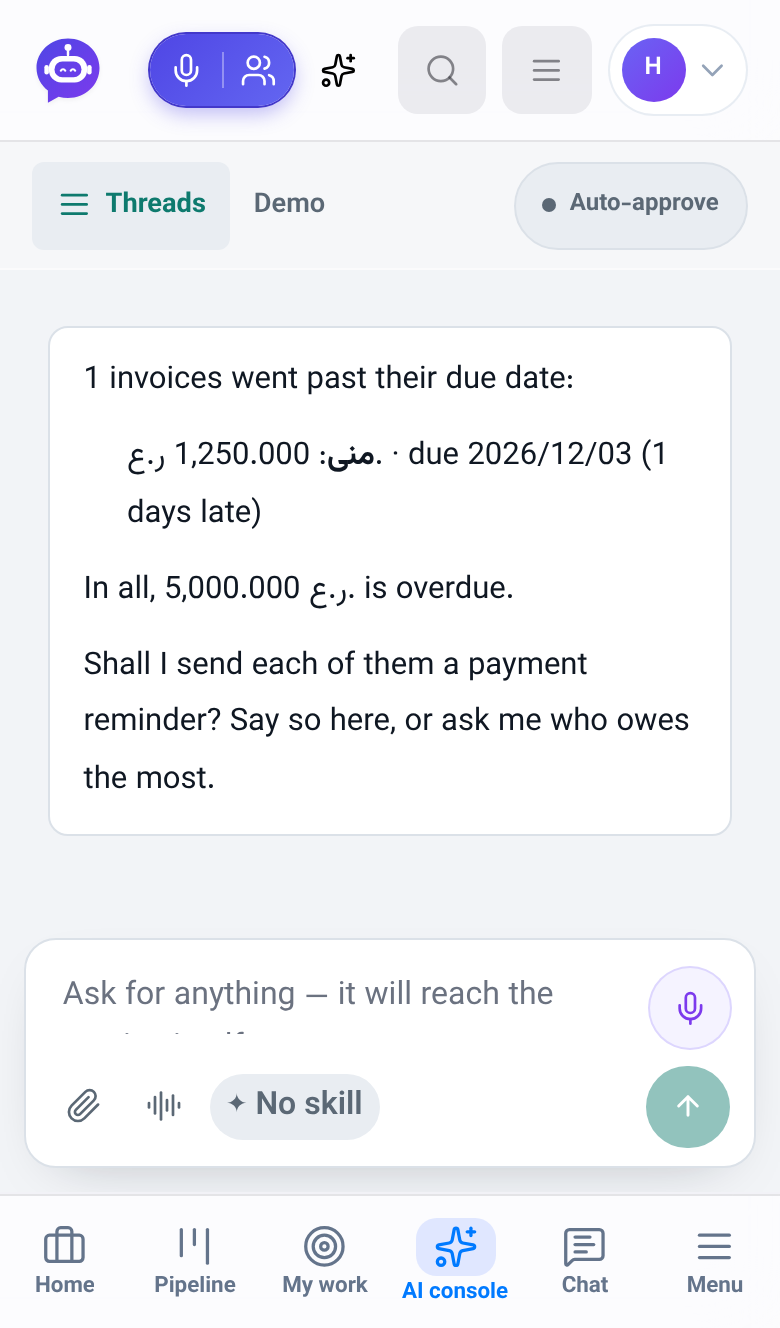
- Invoices past their due date: in the morning, when an invoice has newly gone past its due date, the console lists the customer, the amount, the due date and how many days late, with the total overdue. Only for people who may see billing.
How to use it
- When the notification arrives, tap it to open the chat.
- For a waiting customer, say what to answer, for example "Tell her it is in stock and ships tomorrow", or ask for a draft. The message goes out after you approve it.
- For invoices, say "Send everyone a payment reminder", or ask who owes the most.
Good to know
- Waiting customers are told about between 08:00 and 21:00 business time and outside the alerts' quiet hours. A wait that starts at night and is still there in the morning is told in the morning.
- Each wait is told once; the customer's next message is a new wait.
- Invoices are told about only when a new one has gone past due since the last time; the same list does not come every day.
- The daily cap is per kind of message, so a busy afternoon does not hold back the next morning's note.