Orders and money on the customer file
Reach the customer workspace tabs at the top, record orders and financial documents in place, and open the money tab as an operator without the previous error.
Product update 2 min read
What changed
The conversation, purchases, offers, money, advisor and details now share a tab bar above the main workspace. Sources, company controls, empty deal figures and the new follow-up form are collapsible.
The money section loads when first selected and keeps drafts when switching tabs. The operator access error that prevented it from opening has been fixed.
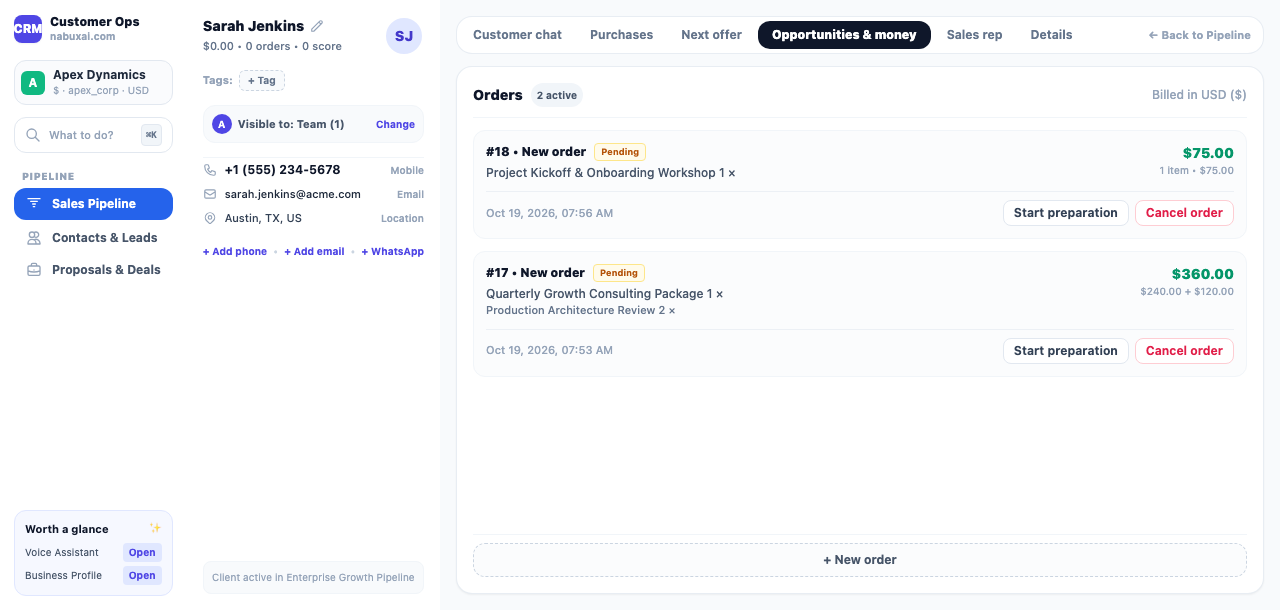
How to use it
- Open a customer file and select Opportunities and money.
- Expand New order, enter each line's description, quantity and unit price, use Add for another line, and submit.
- Use each order's status buttons to prepare, mark ready and hand over. An order can only be cancelled before handover.
- Expand Record document to enter received or paid money, a cheque or an expected amount. Enter the date, amount and description, then submit.
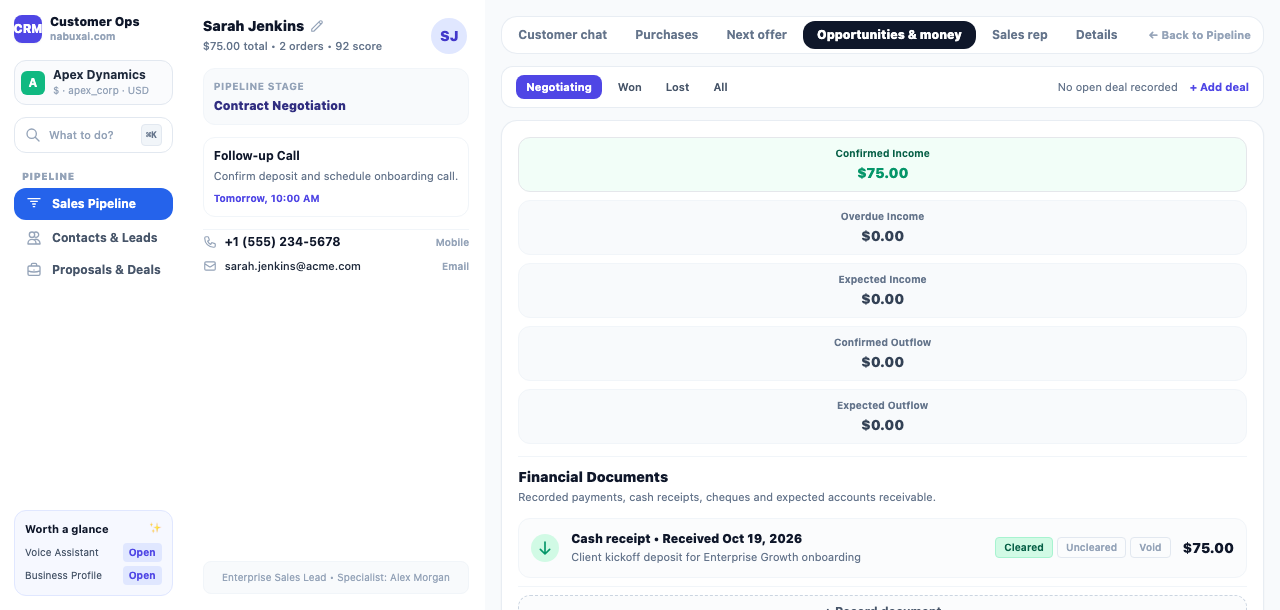
Good to know
- Orders belong to the customer and the business the file is filed under. Recording an order does not record a payment or create a paid invoice.
- A new order supports up to 20 lines. Names and prices are frozen at creation, so later pricing changes do not rewrite old orders.
- Orders require the enabled ordering module and its entitlement. Recording and progressing orders require the sales capability; financial documents follow billing access.
- Amounts and dates use the filing business's currency and calendar. Screenshots show a local preview with sample data.