Signing in opens the work desk, with a manager's reports at the top
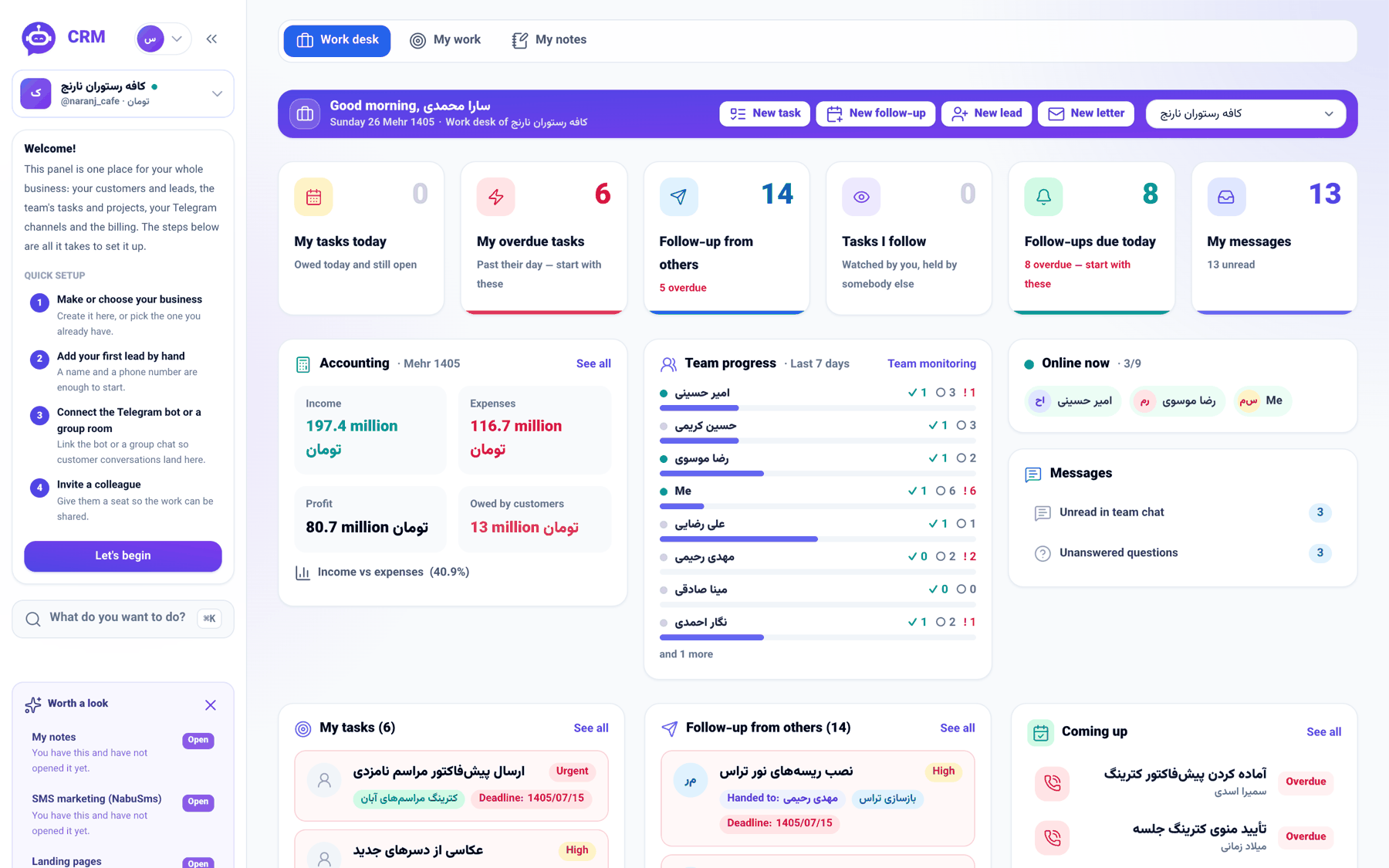
Everyone now lands on the Work desk after signing in. Managers see this month's money, the team's progress, who is online and unread messages right at the top.
Product update 2 min read
What changed
Whoever signs in now lands on the Work desk first, not the businesses dashboard. The desk is the page that shows today's work, what is late and what you are following up, in one place.
For managers, a few reports now sit right under the day's figures:
- Accounting this month: income, expenses, profit and what customers still owe, in the business's own currency.
- Team progress: each colleague's open, overdue and finished tasks over the last 7 days.
- Online now: the colleagues who are in the system right now.
- Messages: unread team chat and customer questions nobody has answered yet.
The welcome box at the top is now one slim line, so the page is left for the reports.
How to use it
- Sign in; the work desk opens on its own. It is also always under Home in the menu.
- If you run several businesses, switch with the picker beside the greeting; every report follows it.
- Use See all or Team monitoring for the full detail.
Good to know
- The accounting block shows only for seats that may see billing: owner, admin, accountant.
- Team progress, who is online and messages are for the seats that manage the team; everyone else keeps their usual desk.
- Every figure belongs to the business picked at the top; another business of yours never shows in it.
- An account with no business yet still starts on the welcome page to create one.