Iranian services now appear only in the Persian panel
Read in English or any language other than Persian, the panel no longer offers Iranian services — Holoo/Sepidar, the Moadian tax system, Shetab gateways and Snapp Pay, Iranian SMS operators, Bale, Eitaa, Rubika and Soroush, Divar, Digikala, Basalam, Torob, Neshan, Shahkar and Sayad checks. The Persian panel and the Iranian installation (nabucrm.ir) are unchanged, and anything your business already connected keeps working.
Product update 2 min read
What changed
- The books speak the reader's market. In English the books export is just Journal (CSV) — the same file — with the QuickBooks and Xero journals beside it for a business with no country set. In Persian it is still دفتر روزنامه برای هلو / سپیدار (CSV).


- One rule everywhere. Iranian things show when the panel is in Persian, or on an Iran host (nabucrm.ir and the other .ir addresses), and nowhere else. Where you happen to connect from no longer decides it: someone in Iran who switched the panel to English gets the English panel.
- Hidden in English: the Holoo/Sepidar journal and the Mizito/Hesabfa import formats, the Moadian tab and invoice panel, Shetab gateways and Snapp Pay in payment settings, Iranian SMS operators (IPPanel, Kavenegar, SMS.ir, Melipayamak, Magfa, Ghasedak — SMS itself stays), Bale/Eitaa/Rubika/Soroush cards and the Bale portal, Divar, Digikala, Basalam and Torob, Neshan maps, Iranian cloud phone presets, Shahkar identity checks, the Sayad cheque number, and the matching console tools.
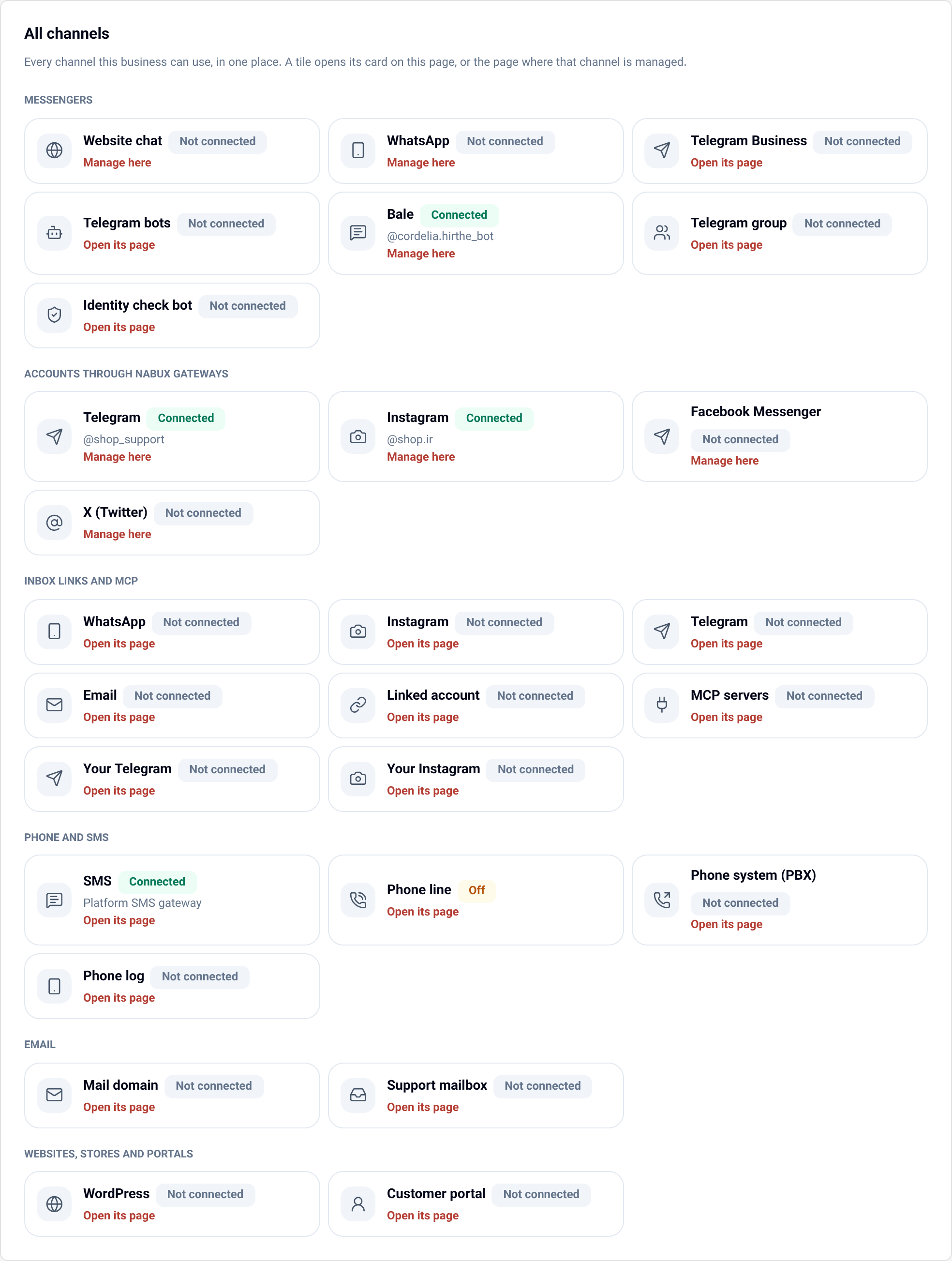
- Nothing you use is cut off. A Bale bot, a Divar connection or an SMS operator your business already set up keeps its card, its menu entry and its status in every language — the All channels overview still shows a connected Bale bot in English.
How to use it
- Nothing to do. Pick your language from the language menu: Persian shows the Iranian services, every other language hides them.
- Already using one in English? Open All channels, or the menu entry it kept, to manage it as before.
Good to know
- Payments are not narrowed by language: a payer the network places in Iran is still offered the Iranian gateways at checkout, so nobody is left without a way to pay.
- Dates follow your business's calendar setting, and amounts your business's currency, in every language.