Loyalty points come back with the money
When you issue a credit note on an invoice that earned points, the points that purchase earned are taken back in the share refunded, and the customer's level follows.
Product update 2 min read
What changed
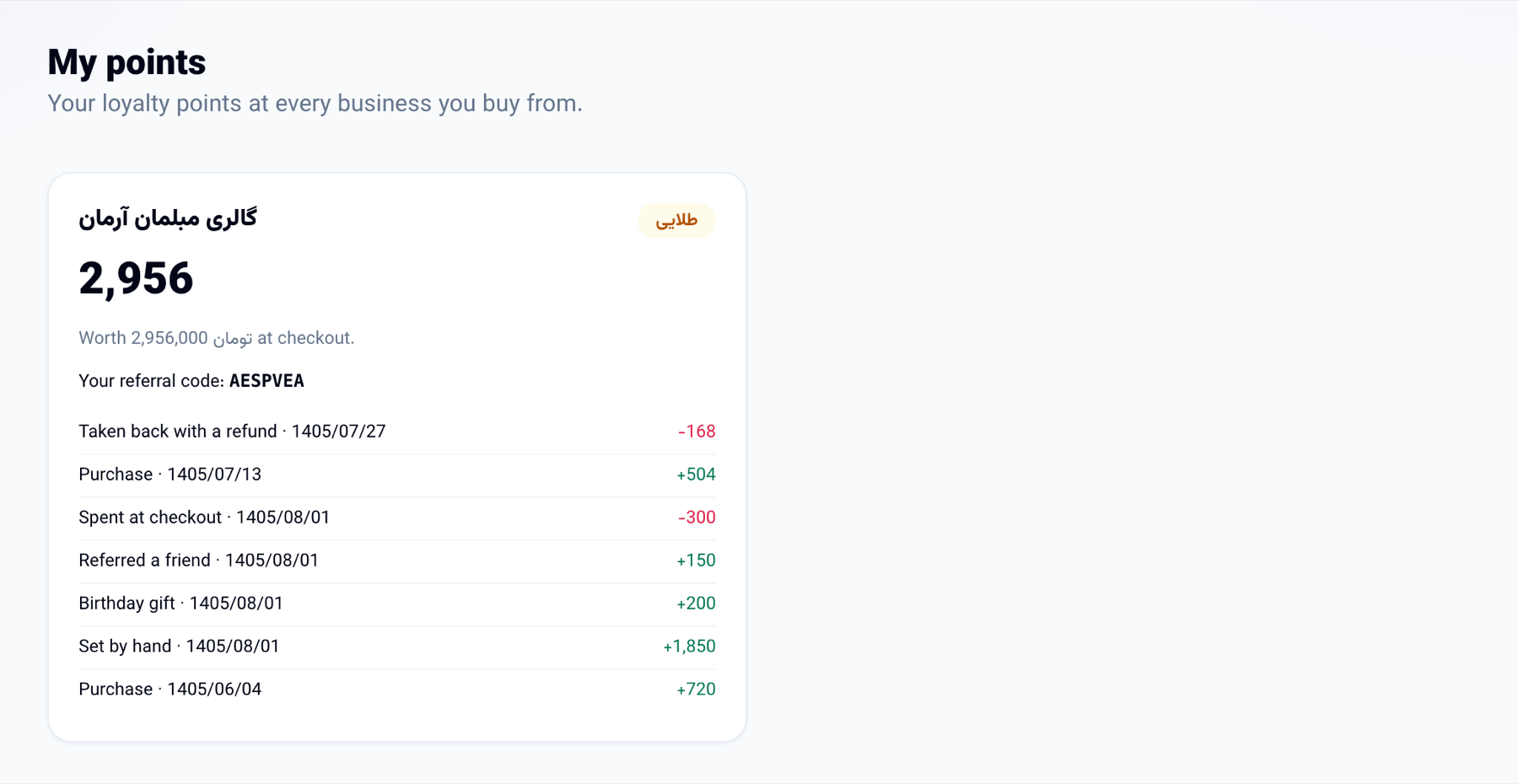
Until now a customer who sent something back kept the points the purchase had earned. Now the points come back with the money:
- Credit notes: when you issue a credit note on a paid invoice that earned points, the refunded share of its points is taken back. Half the amount back, half the points; all of it, all of them.
- The level follows: points taken back also come off "earned in all", so a customer who reached a level only through that purchase drops back to the one before.
- Points already spent: if the customer has already spent them, the balance never goes below zero; what can be taken back is, and the shortfall is written on the same points entry.
How to use it
- In "Invoices", open the paid invoice.
- Under "Credit notes", enter the quantity or price of the lines coming back and press "Issue a credit note".
- The customer's points go down on their own. In "My points" in the customer portal the customer sees a "Taken back with a refund" entry.
Good to know
- Each credit note takes points back once, and several credit notes on one invoice never take back more than that purchase earned.
- Birthday, referral and welcome points stay; only the purchase's own points come back.
- Every business's points are its own: a refund at one business never touches the customer's points at another.