Choose the account and businesses when reconnecting CRM

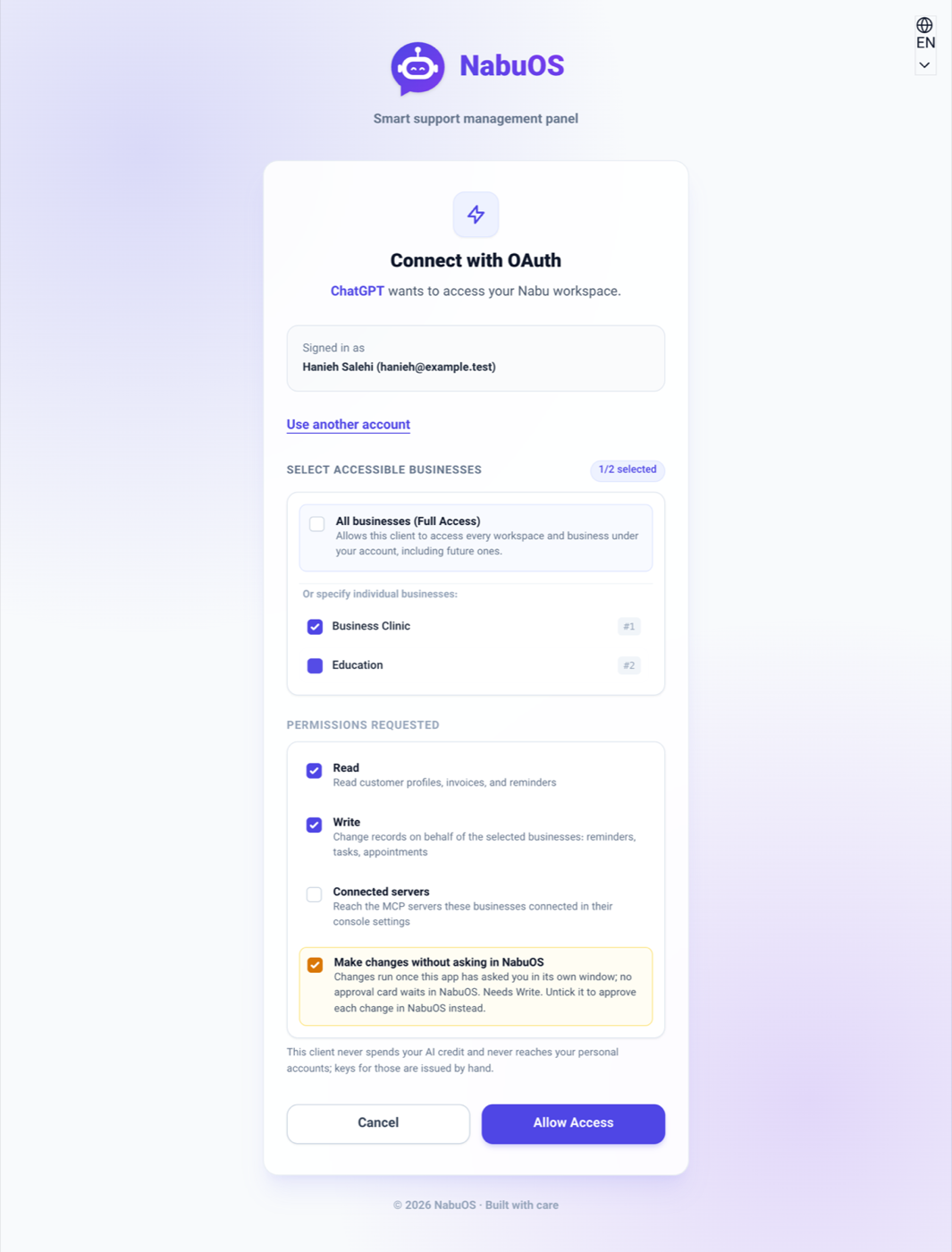
Interactive MCP connections show the account and business choices again, with a way to sign in using another account.

Product update 1 min read

What changed

A remembered approval no longer hides the account and business picker during an interactive connection. Use another account signs out explicitly while preserving the client's callback and PKCE request. Selecting all current businesses no longer automatically grants future businesses. CRM account and business choices
How to use it

  1. Open the CRM connection from your MCP client.
  2. Check the signed-in email. Use another account if needed.
  3. Choose the intended businesses and approve. Full access including future businesses is a separate choice.

Good to know

Existing connections retain their granted permissions. Silent OAuth requests can reuse prior approval. Changing accounts does not grant access or move existing records.

More from the blog

Product update

A shorter, tidier phone menu

The phone menu is no longer four screens of tiles. The section you are in stands open and every other section is one row with its icon and count. Search leads the menu and the foot is one row.

Product update

The sidebar menu is on the first screen

The welcome card and \"Worth a look\" are one row each now, section headings wear icons, and a section you open stays open. \"My messages\" left the middle of the page: its bell sits beside the voice button in the sidebar.

Product update

The "My messages" bell is back where it belongs

In the macOS skin the bell now sits in the top bar beside the mic and the other buttons, and its list opens right under it instead of taking a row of its own above the page.

Missing something?

Tell us what to build next. Most of what is announced here started as somebody’s suggestion.

Suggest a feature