The WordPress plugin is now one: Nabu Connector, with an Iran/international server choice
NabuDesk Connector and the standalone Nabu Connector merged into one plugin: pick the Iran server or the international one, and everything follows — including an automatic Iran relay when the direct route is blocked.
Product update 2 min read
What changed
One plugin, one choice. The two previous plugins — NabuDesk Connector (site events with a token) and the standalone Nabu Connector (SMS login, lead and sale filing) — are now one plugin called Nabu Connector. Instead of typing a server address you pick the server: Iran (nabucrm.ir) or International (crm.nabuxai.com). Everything — WooCommerce events, lead and sale filing, and SMS login — follows that choice.
The Iran relay, automatic. A site hosted in Iran that cannot reach the international servers directly sends its requests through the Iran relay (nabucrm.ir/relay) on its own. Once the relay answers, it is preferred for twelve hours so no request pays for a failed connection first. Nothing to configure.
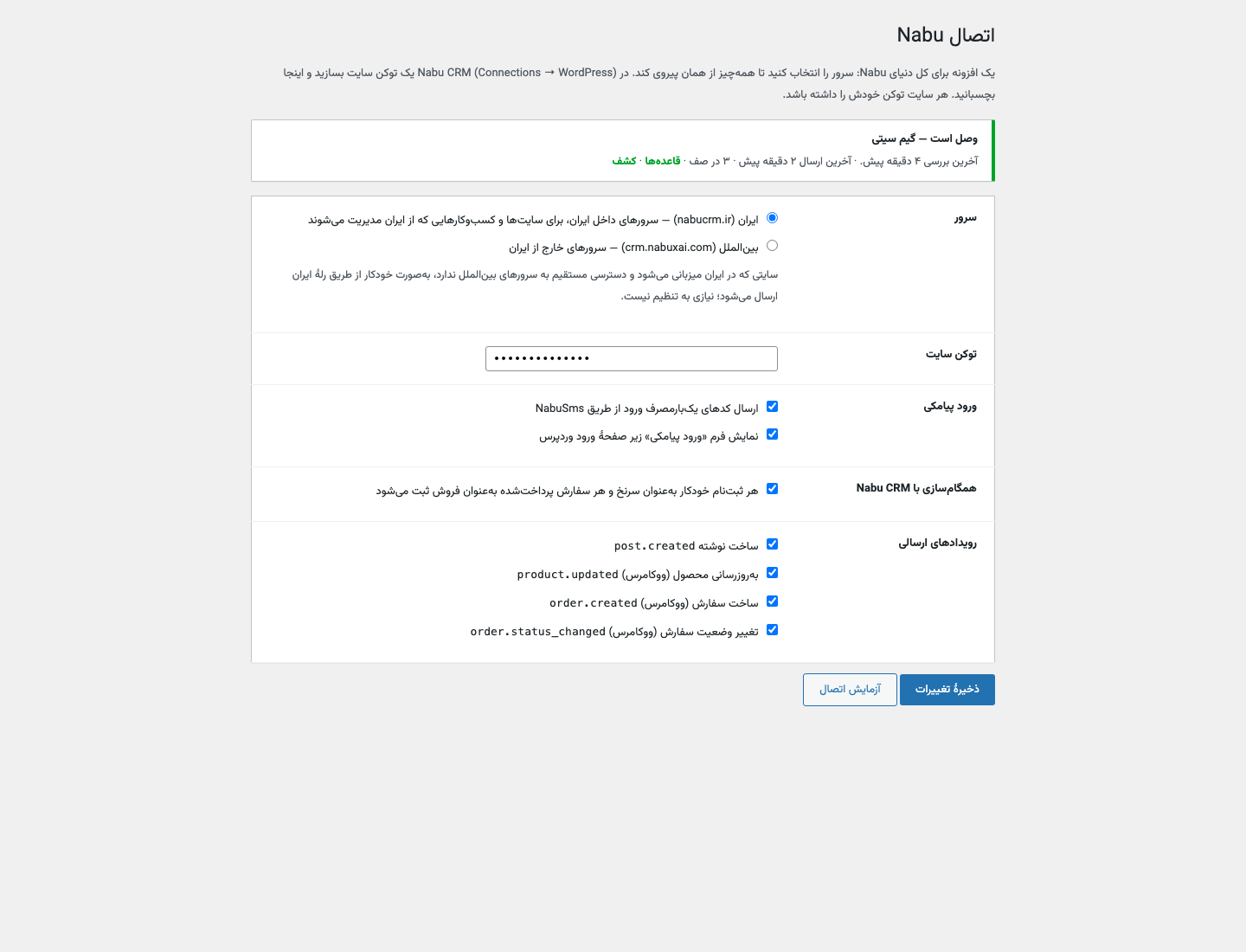
Settings survive the upgrade. Activating the new version carries over the token, events, SMS login and sync settings from either older plugin; the old address becomes the matching server choice.
How to use it
- In the panel, open Connections → WordPress and issue a token for your site; the "Download the Nabu Connector plugin" button now serves version 1.2.0.
- In WordPress, deactivate the old plugin, install and activate the new one — settings migrate on activation.
- Under Nabu → Settings, pick the server (an Iranian site should pick Iran), paste the token and run "Test connection".
- SMS login and lead/sale sync keep working as before; the keys (NABU_SMS_KEY, NABU_CRM_APP_ID, NABU_CRM_SECRET) stay in wp-config.php.
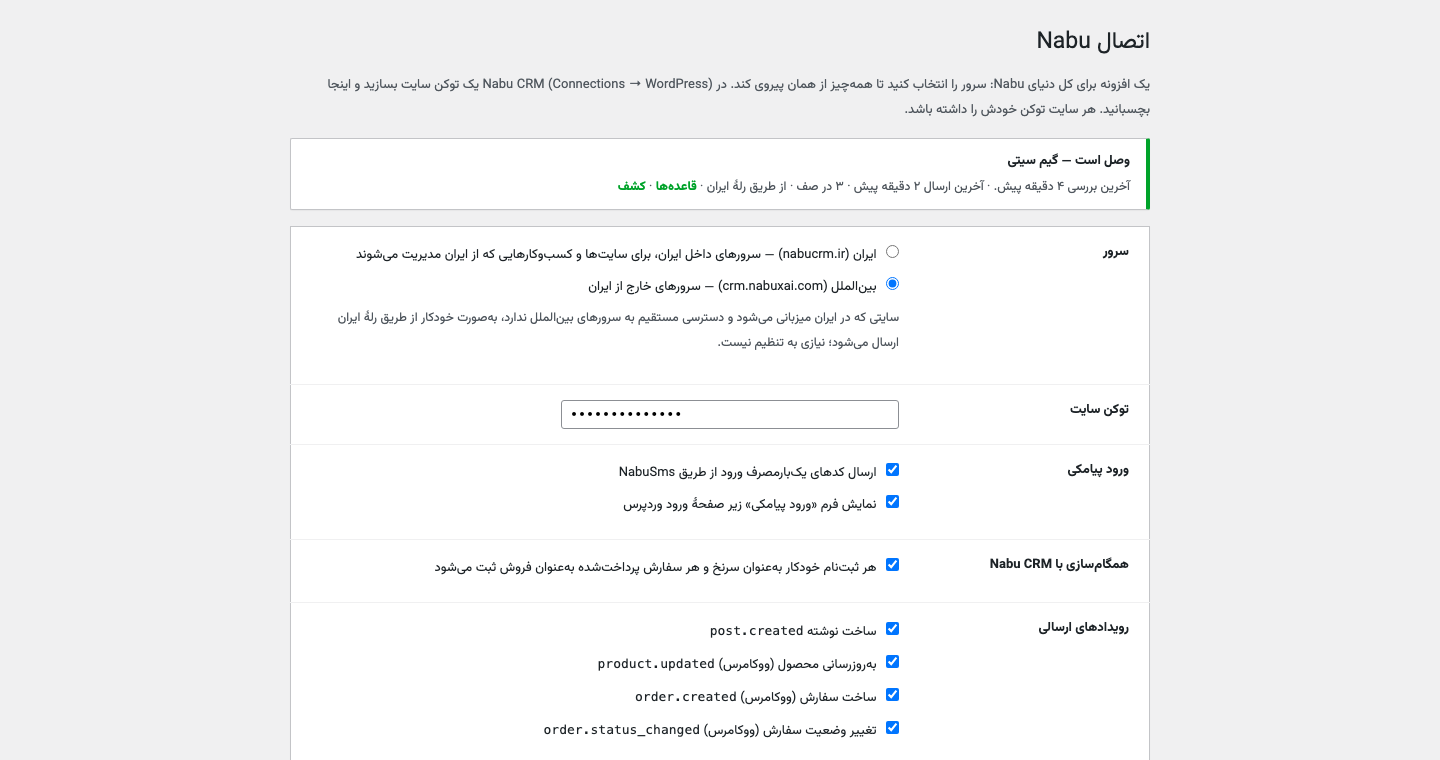
Ask the console, too
In the console (OS) or the Telegram bot, just ask "I want the WordPress plugin" or "connect Nabu to my site" — the answer comes back with the plugin's direct download link and the three connect steps.
Good to know
- The panel's download button now ships the new "Nabu Connector" zip; the old build is no longer served.
- The plugin is on its way to the official WordPress.org directory; once accepted, updates arrive from WordPress itself.
- Rules and Discovery are the same screens as before, under the "Nabu" menu.