Every page's tab reads in your language
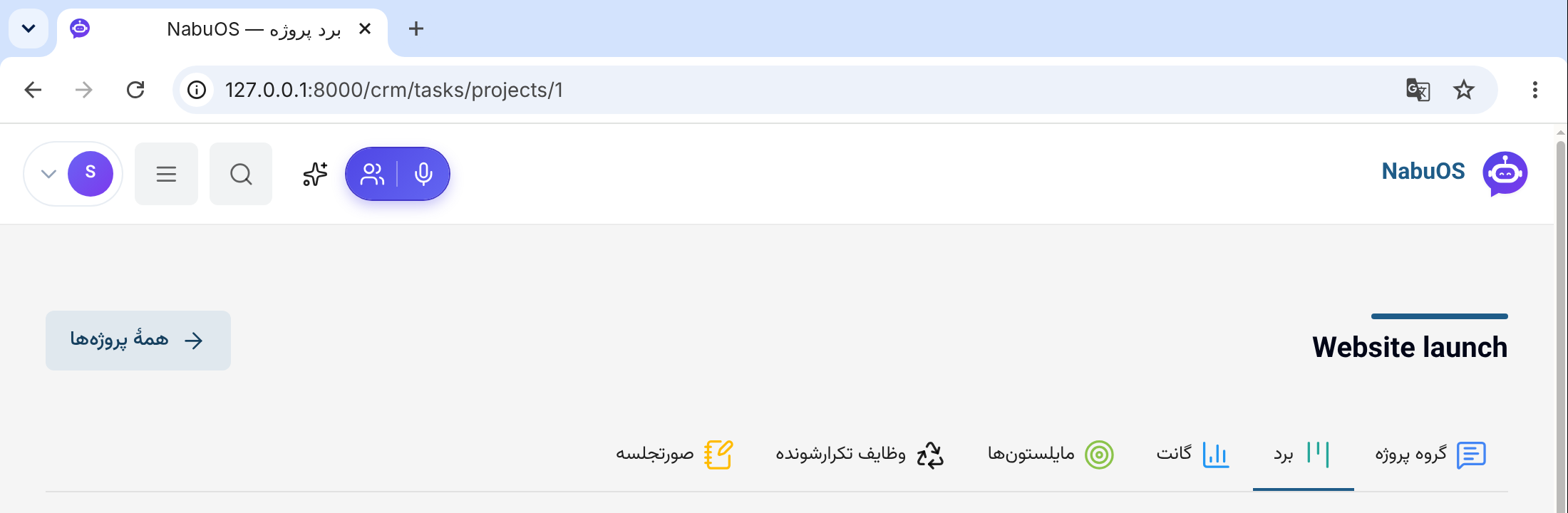
The title in the browser tab now follows the panel's language on every page. The project board, the timesheet, stock, voice rooms and about forty other pages used to show their English name in a Persian or Arabic tab, and module names such as «— NabuStock» are gone from the tab too.
Product update 2 min read
What changed
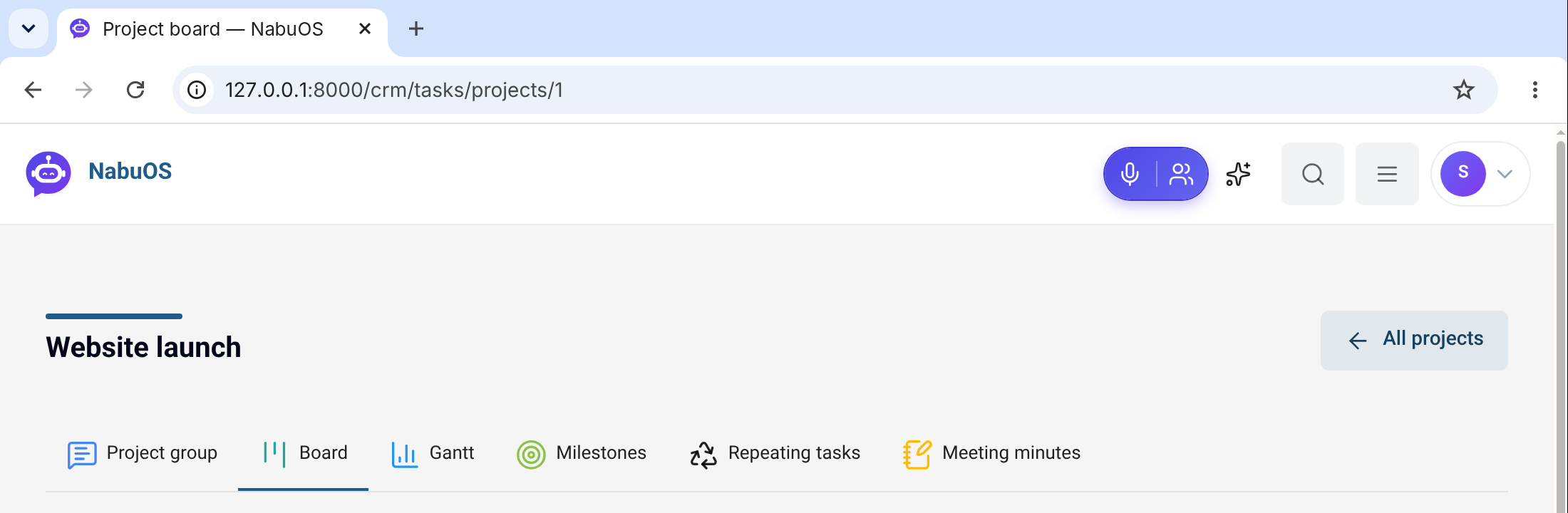
The title in the browser tab now follows the panel's language on every page. Until now about forty pages kept their English name in the tab whatever language you had chosen: a Persian reader saw "Project board — NabuOS", "Timesheet — hours by person and by project — NabuOS" or "Stock — NabuStock — NabuOS".
- The page name is translated into all 34 languages the panel speaks: project board, project conversation, milestones, timeline, timesheet, my work, stock, purchase orders, rentals, repairs, voice rooms, online ordering, AI employees and the rest.
- Module names are gone from the tab. "Stock — NabuStock" is now "Stock — NabuOS", like every other page.
- The pages your customers open speak their language too. The review, appointment booking, survey, donation, quiz and digital business card pages used to show their tab title in English; they now show it in the visitor's language.
How to use it
- Pick your language from the Language menu, if you have not already.
- Open any page, for example a project's board. The browser tab shows the page's name in that language, followed by "— NabuOS".
Good to know
- Only the tab title changed; page addresses, menus and permissions are as they were.
- With several pages open in tabs, each tab is named in your language, so they are easier to tell apart.
- A new page can no longer be released with a tab title that some language cannot read.