Response-time targets for tickets and the inbox
Set how many minutes the first reply and the close may take, per ticket department and for the inbox, in your own opening hours. The holder is told when a target is close, their manager when it is missed — and, if you choose, the conversation is handed to the next person. Each person's record is under Reports.
Product update 2 min read
What changed
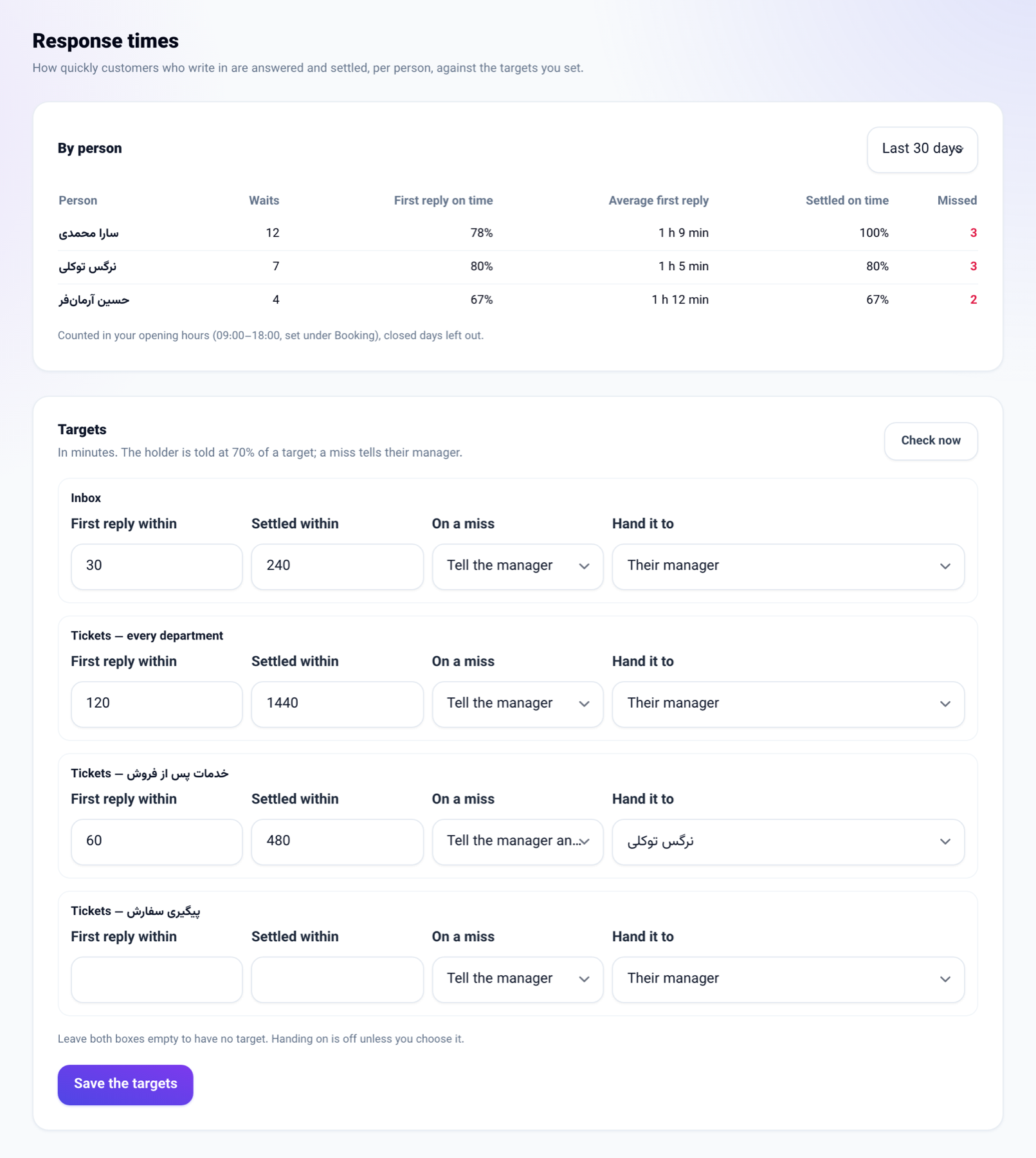
- A new Response times screen under Reports. For the Inbox, for Tickets — every department and for each ticket department you set two targets in minutes: First reply within and Settled within.
- Time is counted in the opening hours set for bookings — opening and closing time and closed days. With none set, it is counted round the clock.
- Every five minutes the open tickets and conversations are checked. At 70% of a target the holder is told. When a target is missed, the holder's manager (or the owner) is told, and with Tell the manager and hand it on the conversation goes to the person you named, or to that manager.
- Each ticket and inbox conversation carries a Due soon, Target missed or On time chip.
- The By person report for the last 7, 30 or 90 days shows each person's waits, the share of first replies and closes on time, and the average first reply.
How to use it
- Go to Reports → Insights → Response times.
- Under Targets, type First reply within and Settled within, in minutes, for each row, and choose under On a miss whether to only tell the manager or also hand it on.
- Press Save the targets. Check now runs the check without waiting for the next one.
Good to know
- Targets are set by a seat that manages the business; the report is for any seat that reads the reports.
- Handing a conversation on is off by default.
- Inbox messages carry no sender's name, so a reply is credited to whoever holds the conversation.
- Leave both boxes of a row empty for no target.