Call operator console: answer the calls your voice assistant hands to a person, inside the panel
When a caller asks NabuVoice's voice assistant for a person, the call now waits on the "Call operator console" page and you answer it with one click. Two new Metro tiles show who is waiting and today's calls.
Product update 2 min read
What changed
NabuVoice's voice assistant answers Telegram, Telefonchy and SIP calls and the call button on your website. Until now, a caller who said "put me through to someone" only reached a person if somebody had NabuVoice's own panel open. Now:
- A "Call operator console" page sits in the AI section of the menu. At the top it shows three live numbers, "Waiting", "Calls today" and "Operators" (how many people are ready), and each line as online or offline. Below them is NabuVoice's console itself: the queue, an "answer" button, and the conversation over this browser's microphone.
- No second login. The panel uses this business's NabuVoice connection to mint a one-time link; no password or token ever reaches the browser.
- Two new Metro tiles: "Callers waiting for an operator" (red while somebody waits) and "Calls today". Both open the console.
- On the Desktop the console is a window of its own, so it can stay open beside your other work.
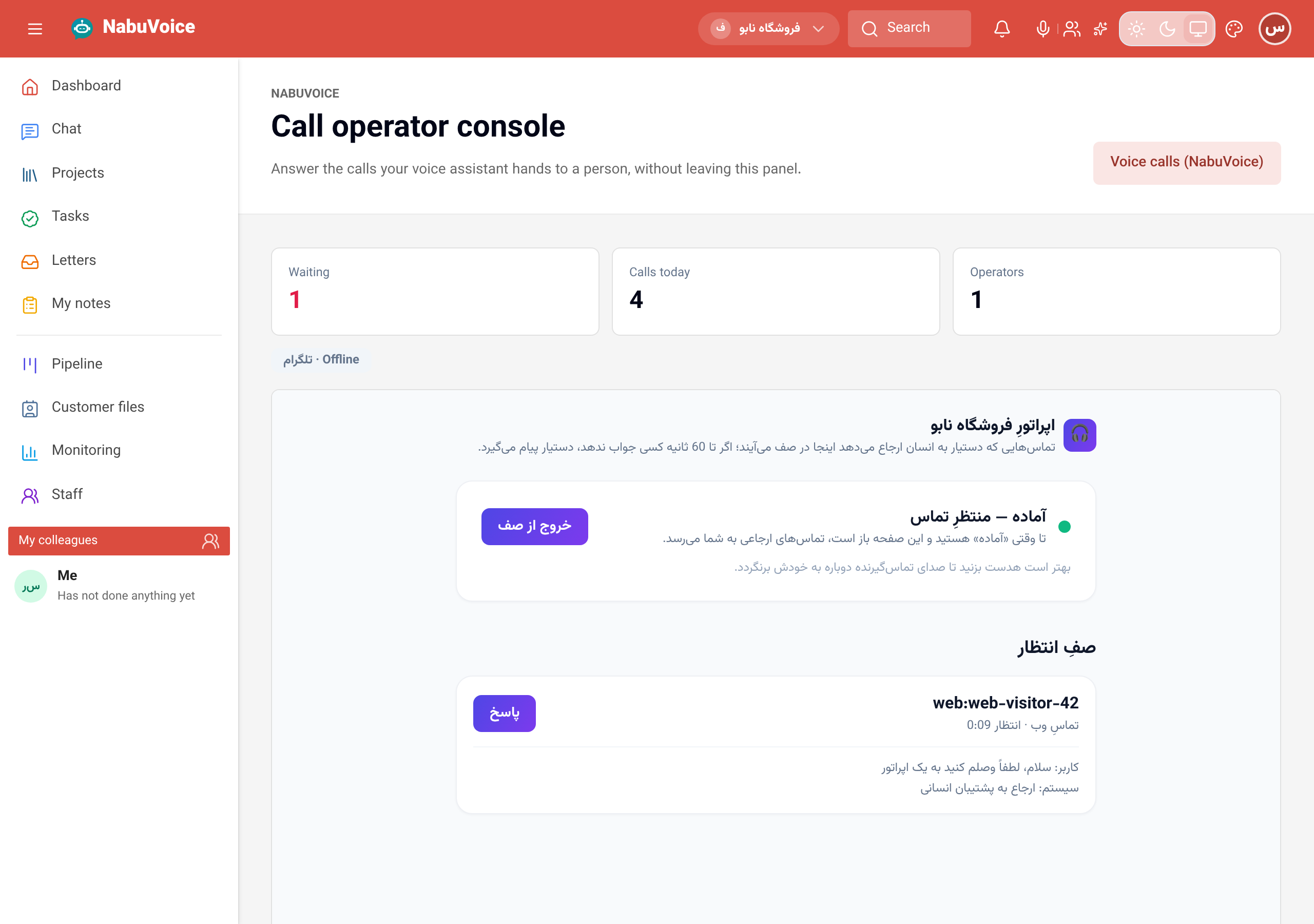
How to use it
- If this business is not connected to NabuVoice yet, press "Connect NabuVoice" on the "Call operator console" page and finish the connection.
- Open "Call operator console" from the menu (or add the "Callers waiting for an operator" tile to Metro with "Edit board").
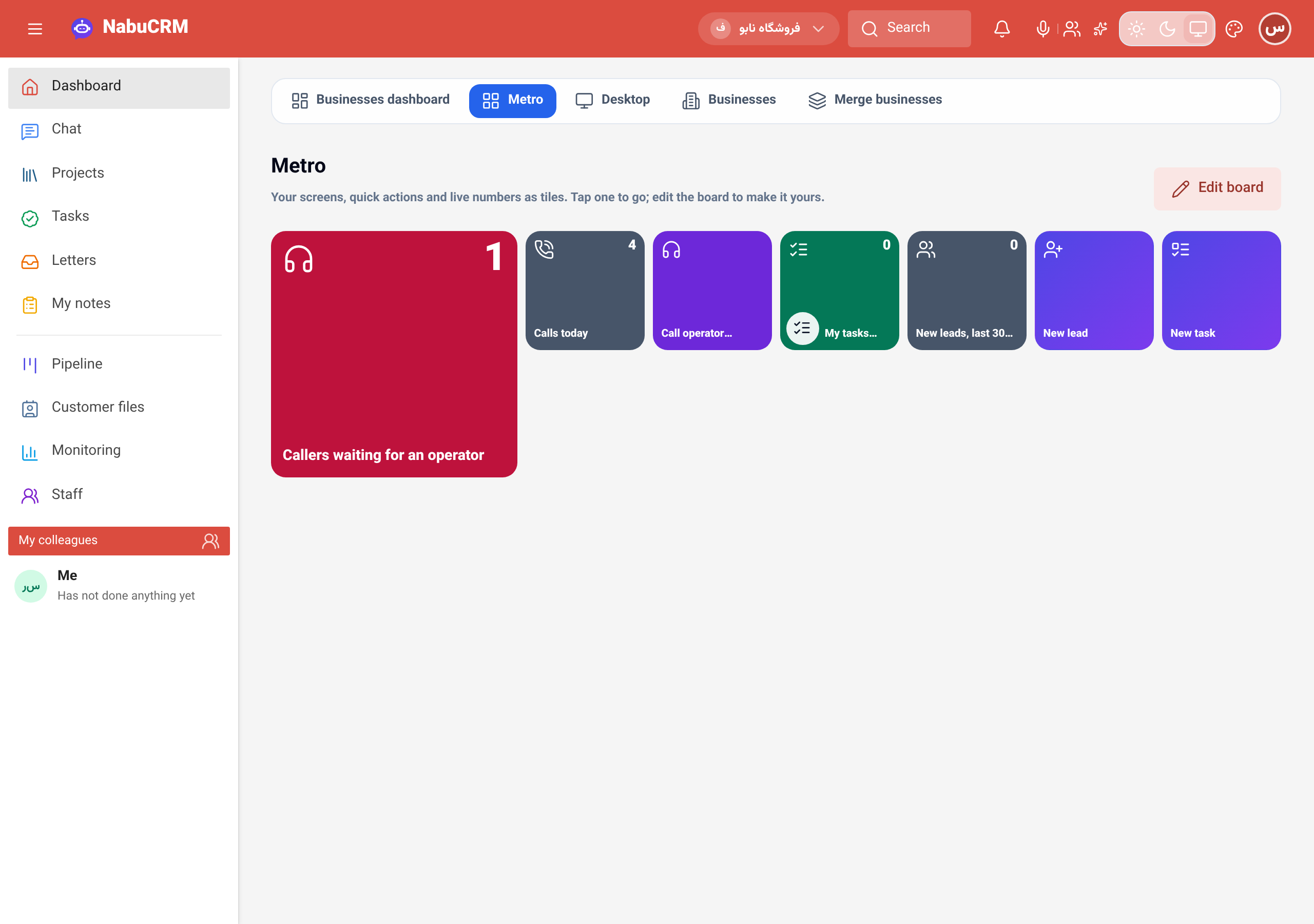 3. In the console, press the "ready" button and allow the microphone. While the page is open, handed-over calls come to you with a short chime.
4. Press "answer" next to a waiting call; what the caller told the assistant is on its card. Hang up when you are done.
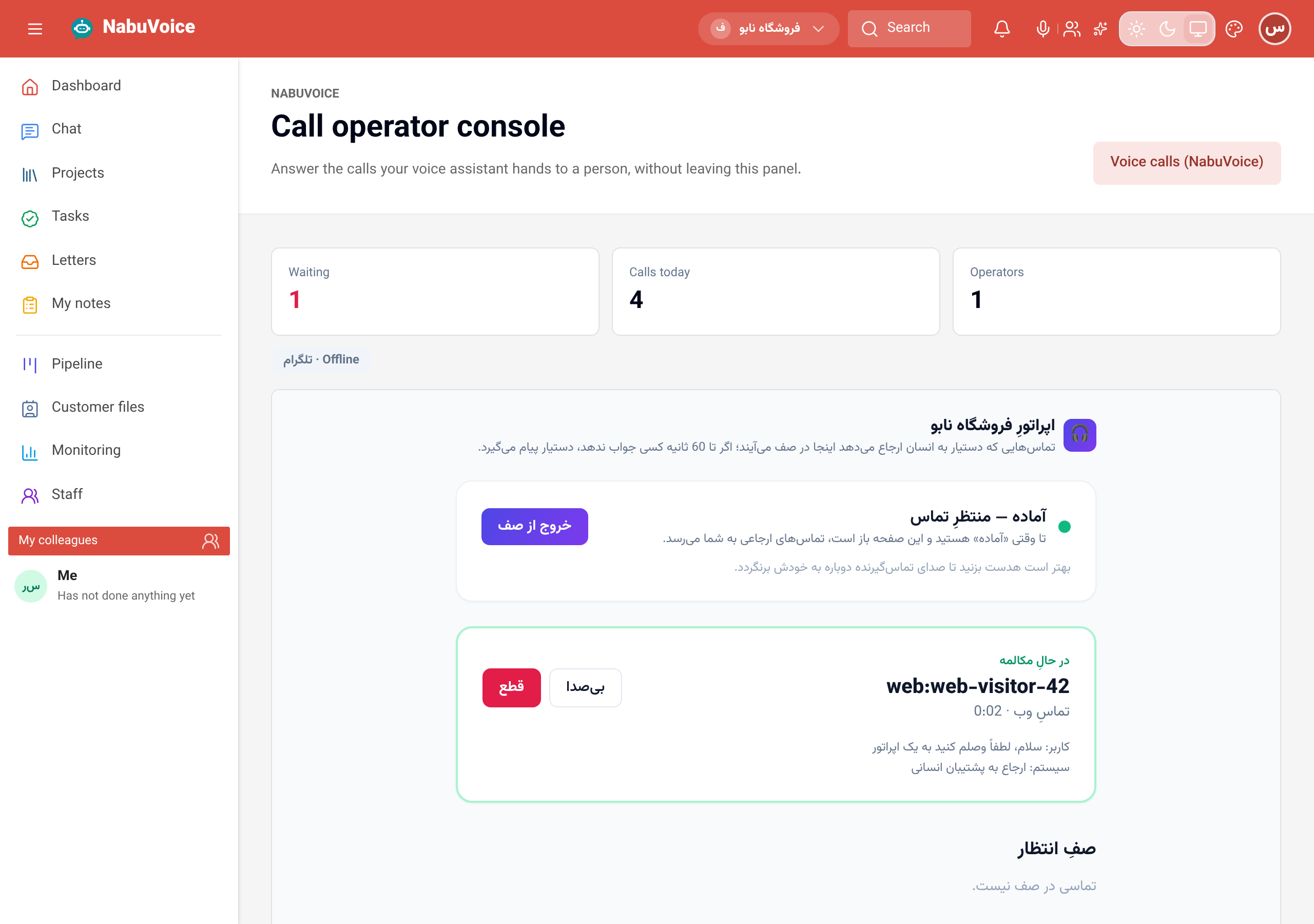
Good to know
- The page and the tiles are for seats that may see this business's customers.
- If nobody answers within a minute, the assistant comes back and takes a message; the call is not dropped.
- The Metro tiles refresh every minute; the numbers above the console every 15 seconds.
- Use a headset so the caller does not hear themselves back.